
The Normie Handbook for Escaping the Permanent Underclass
🎙 Listen to the audio version
Everyone in the room already knows
On February 26, 2026, Jack Dorsey sent a message to roughly 4,000 Block employees that amounted to: the company has decided to become a different kind of company, and that kind of company does not need you. Block went from over 10,000 people to just under 6,000 in a single announcement. [1] Not a restructuring. Not a pivot. A halving.
The part that should make you put down your coffee is what Dorsey wrote publicly on X to explain it: “We’re already seeing that the intelligence tools we’re creating and using, paired with smaller and flatter teams, are enabling a new way of working which fundamentally changes what it means to build and run a company.” [1] And then, in the shareholder letter, the part that reads less like a business update and more like a warning flare aimed at every other CEO on earth: “I think most companies are late. Within the next year, I believe the majority of companies will reach the same conclusion and make similar structural changes.” [1]
He is not describing Block. He is describing your company.
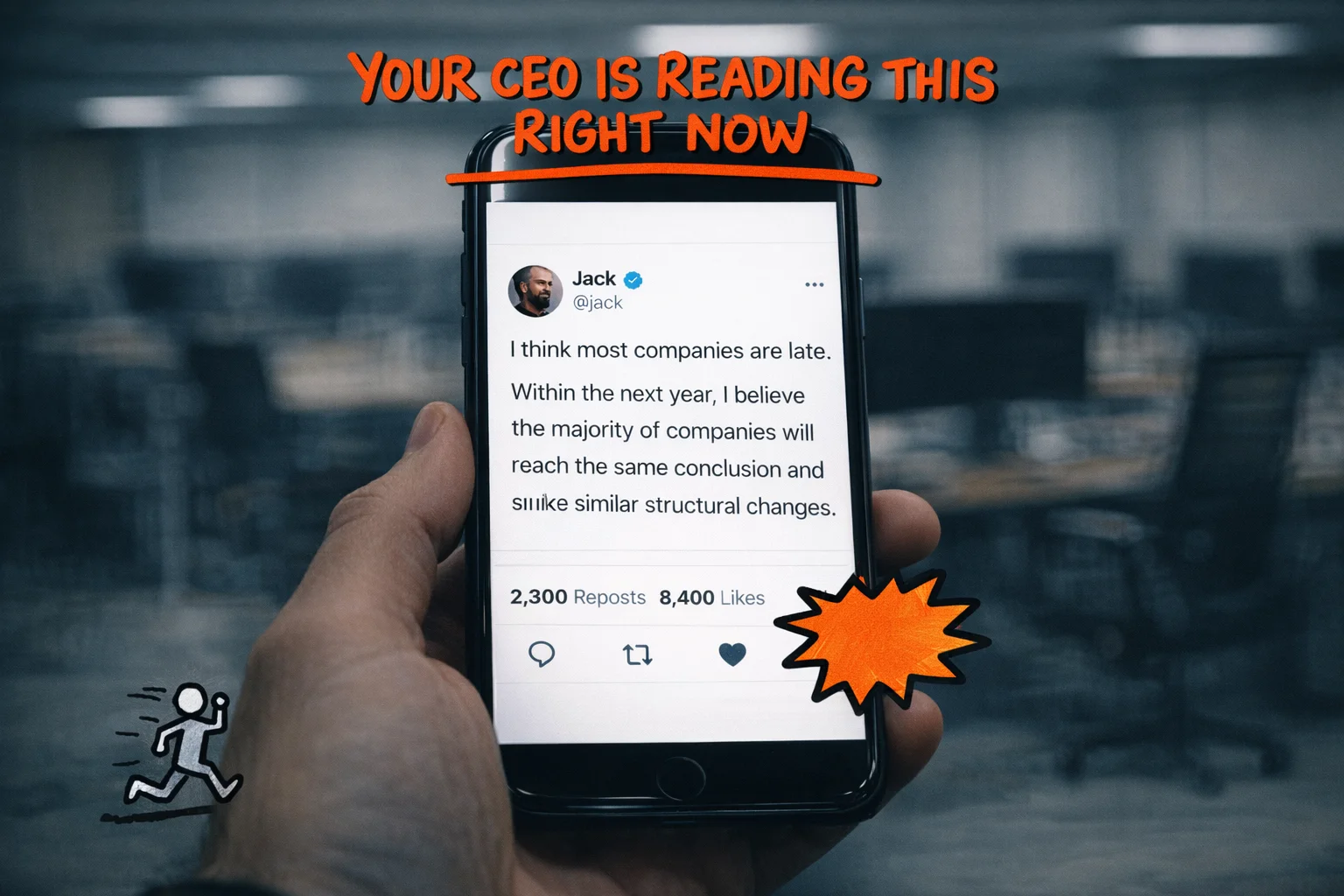 Jack Dorsey’s shareholder letter wasn’t about Block — it was a warning flare aimed at every other CEO on earth.
Now. There is a phrase that has been circulating in tech circles for a while now, the kind of phrase that gets passed around in group chats and Hacker News threads and podcast green rooms without ever quite making it to the publications that normal people read.
The phrase is “permanent underclass.”
Dario Amodei, the CEO of Anthropic, used it in early 2026 to describe what he was worried AI would create: a group of workers displaced across skill levels, left in a condition of permanent unemployment or very-low-wage work. [7] It showed up in a New Yorker piece by Kyle Chayka in October 2025. It spread from there into the corners of the internet where people who build AI systems talk to each other about what those systems are going to do. [3] [4]
The phrase has a specific meaning in those conversations. It does not refer to factory workers or truck drivers, the people who show up in every mainstream AI-and-jobs article accompanied by a stock photo of an empty warehouse. It refers to knowledge workers. It refers to people with laptops and salaries and LinkedIn profiles and, quite possibly, a LinkedIn Learning certificate in “AI Fundamentals” that they completed in January and have not thought about since.
It refers, with some probability, to you.
Let me be direct: if you keep doing exactly what you’re doing right now, you will end up in the permanent underclass.
This is not said to be cruel. You are not behind because you are slow or incurious or bad at your job. You are behind because the people who work directly on these systems have a view of the acceleration that is genuinely difficult to communicate to someone who isn’t staring at benchmark results every week, and they have mostly failed to communicate it, and so the gap between what they know and what everyone else knows has quietly become very large.
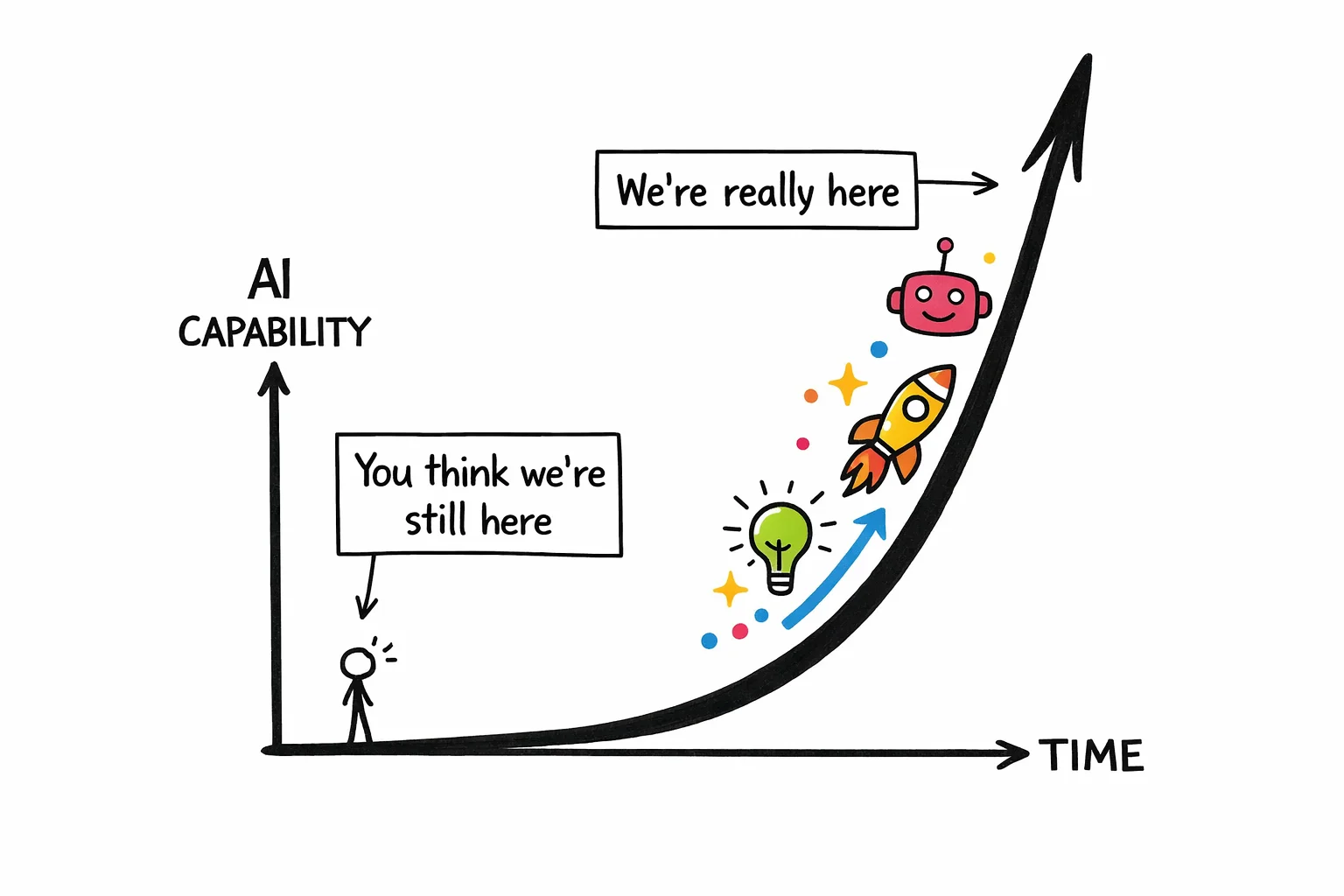 The exponential curve doesn’t wait for you to finish your spreadsheet.
Here is what the gap actually looks like in numbers. A Gallup survey from Q3 2025 found that among U.S. knowledge workers, 45% use AI at work at least a few times a year. [14] That sounds like a lot until you notice that “a few times a year” is the survey’s way of saying “occasionally, when someone sends them a link.” Daily users are at 10%. The people using advanced tools with any regularity are a fraction of that.
Meanwhile, PwC’s analysis of nearly a billion global job postings found a 56% wage premium attached to AI-skilled roles in 2024. [9] Lightcast puts the number lower, around 28%, [12] which suggests the exact figure is contested but the direction is not.
The gap between people who use these tools seriously and people who use them occasionally is already showing up in compensation data. It will show up in hiring data next.
The uncomfortable thing about the permanent underclass framing is that it is not really about the people who never adopted AI. Those people are a separate, more obvious problem. It is about the people who adopted it just enough to feel like they had checked that line off their to-do list. The people who use ChatGPT to clean up their emails and summarize meeting notes and occasionally ask it to explain a concept they could have Googled. The people who, if asked, would say they “use AI in their workflow” and mean it sincerely, because they do, and because they have no idea that what they are describing is roughly equivalent to using a calculator and calling yourself a mathematician.
Sam Altman’s most-quoted line on this subject is: “AI won’t replace humans. But humans who use AI will replace those who don’t.” [7] It is a reassuring framing if you stop reading after the first sentence. The second sentence is doing all the work. The question it leaves hanging, the one nobody in the quote’s natural habitat tends to finish asking, is: which humans using AI? At what level? Doing what, exactly?
That is the question this post is going to answer.
The good news, and there is genuine good news here, is that the velvet rope is not guarded by engineers. You do not need to learn to code. You do not need to understand how a large language model works at a technical level any more than you need to understand internal combustion to drive to work. The skills that separate the people who will be fine from the people who will not are learnable, they are not exotic, and most of them can be started this week with tools you already have access to.
The velvet rope is right there. You just have to know it exists before you can duck under it.
 Use this guide to limbo your way to the other side of the velvet rope and escape the permanent underclass.
Cause of death: “I use AI every day”
Let us begin with the facts, as a medical examiner would.
The deceased arrived presenting the following symptoms: a ChatGPT tab perpetually open in the browser, a LinkedIn post from sometime in the previous eighteen months announcing that they had “completed Google’s AI Essentials course on Coursera and couldn’t be more excited about the future,” and a daily workflow that, upon closer inspection, consisted primarily of pasting draft emails into a chat window and asking for a “more professional tone.”
The certificate itself — Google AI Essentials, IBM AI Professional, LinkedIn Learning’s “Master the Fundamentals” path — is not the problem. [23] The problem is what the certificate was asked to do. It was asked to function as a moat. It was asked to say: I am an AI person now. It was asked to hold back a tide.
It cannot do this. The tide does not care about the certificate.
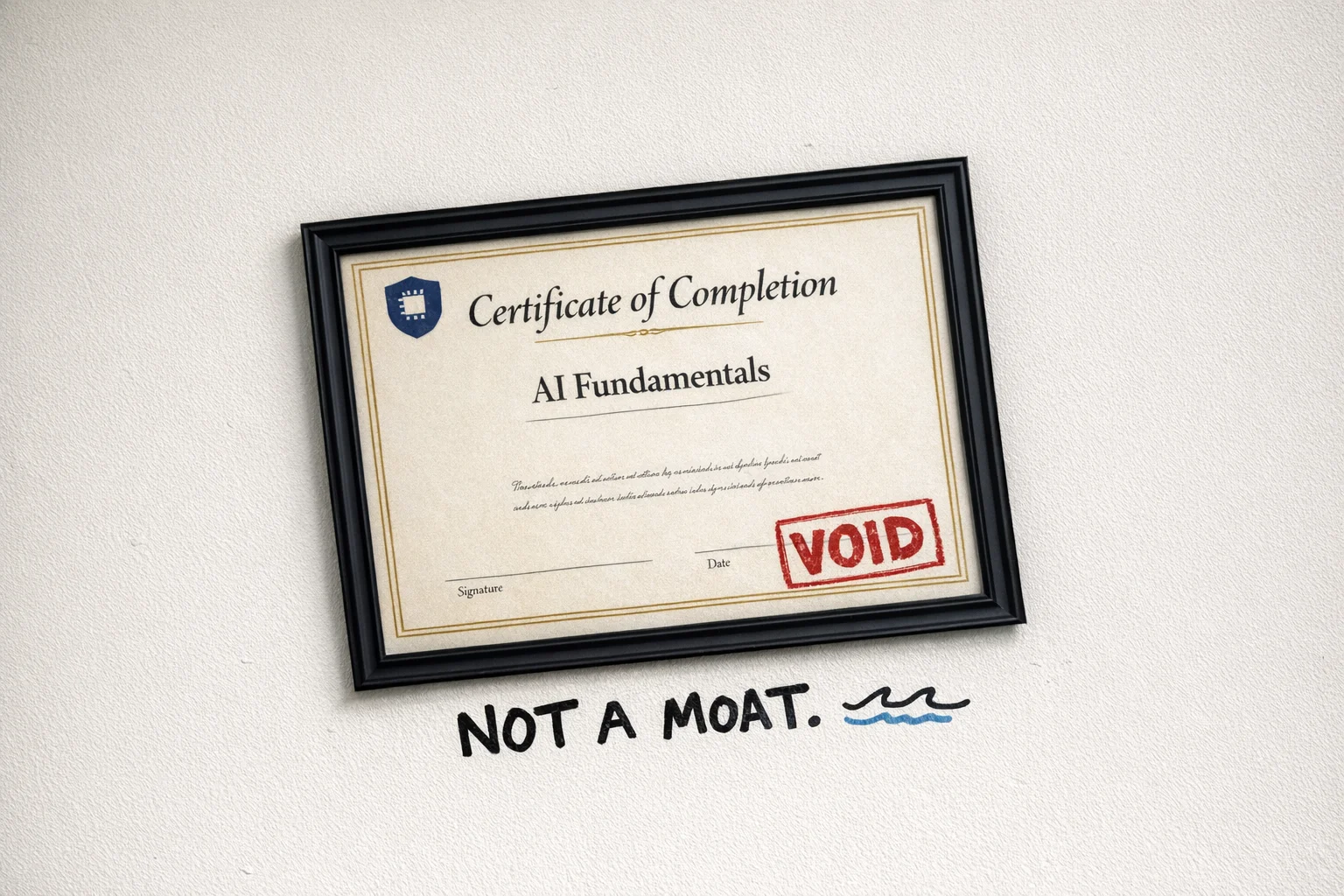 Framed, official, and completely void — the AI certificate as expired parking pass.
Here is what the survey data actually shows, stated plainly: somewhere between 30 and 52 percent of knowledge workers report using AI for writing and editing tasks. [14] [27] [28] That is the most common use case. That is the thing the largest share of people are doing. Which means that if your primary AI workflow is “make this email sound better,” you have not found an edge. You have found the median. You are, statistically, the average. The certificate confirms you are unremarkable.
You set out to stand out and landed exactly in the middle.
The employers know this. They have been watching the certificates accumulate. A generic AI credential now signals interest in AI the way a gym membership signals fitness. What they want, and increasingly what they pay for, is demonstrable, practical experience: things built, workflows deployed, problems actually solved. [23] [29]
The certificate is the receipt. They want to see the meal.
LinkedIn job postings requiring AI skills grew roughly eightfold between 2020 and 2024. [23] The demand is real. The supply of people waving certificates at that demand is also real, and growing faster than the underlying skill.
This is the gap. Not between people who use AI and people who don’t. Between people who use AI to do the same things slightly faster, and people who use AI to do things that were previously impossible for one person to do alone.
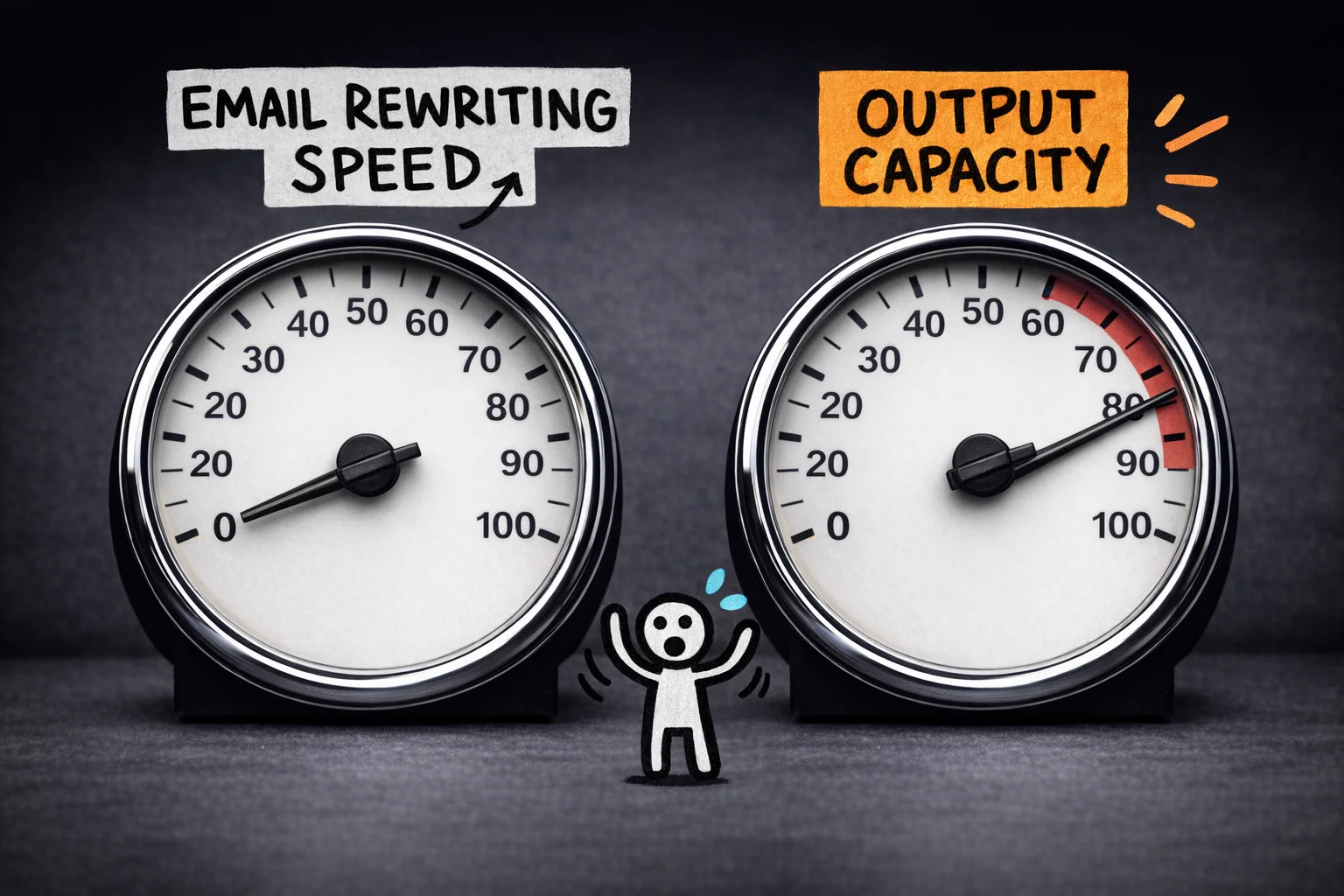 One needle barely moved; the other broke the gauge — the gap isn’t about speed, it’s about what becomes possible.
The normie AI usage looks like this: open ChatGPT, paste something in, read the output, paste it back, close the tab. Repeat. The AI is a slightly smarter autocomplete. A very expensive Grammarly. A thesaurus that also writes topic sentences.
This is not nothing. It saves time. It reduces friction. It is genuinely useful in the way that a dishwasher is genuinely useful — yet nobody is putting “dishwasher operator” on their resume as a competitive differentiator.
The people who are actually pulling away are not using AI to do the same tasks faster. They are using it to collapse the distance between having an idea and having a finished thing. Between “I should probably analyze this data” and having the analysis. Between “we need a campaign” and having the campaign, the copy variants, the performance framework, and the first draft of the retrospective.
The AI is not the tool. It is the team.
That gap — between AI-as-autocomplete and AI-as-team — is not a gap that a certificate closes. It is a gap that only closes through a specific kind of practice, which we will get to. But first, a brief moment of honesty about how we got here.
You are living inside the slow part of an exponential curve, and it does not feel slow
Here is a thought experiment Tim Urban ran in a 2015 Wait But Why article that approximately everyone on Twitter read and shared and approximately no one acted on.
Imagine you could grab George Washington — the actual George Washington, powdered wig and all — yank him out of 1750, and drop him into the year 2000. Not 2025. Just 2000. What happens to him?
He would, Tim Urban argues, almost certainly lose his mind. Not metaphorically. The electricity alone would be incomprehensible. The cars. The planes. The fact that you can speak into a small rectangle and hear a voice from the other side of the planet in real time. The sheer density of change between 1750 and 2000 would be so overwhelming that the experience might actually kill him — not from any specific thing, but from the accumulated cognitive weight of a world that had become, in every meaningful sense, unrecognizable. [16]
He even invented a unit for this phenomenon: the Die Progress Unit, or DPU. One DPU is the amount of progress required to make a time traveler’s head explode. It is a joke, but it is a useful joke. [16]
Now here is the part that should make you put down your coffee.
For most of human history, DPUs took forever.
- Hunter-gatherer civilizations accumulated roughly one DPU every hundred thousand years or so.
- After the Agricultural Revolution, the pace picked up — maybe one DPU every twelve thousand years.
- After the Industrial Revolution, a couple hundred years per DPU. [16] [18]
The intervals kept shrinking because, as Ray Kurzweil’s Law of Accelerating Returns explains, more advanced societies have more tools to build the next tools, which means progress compounds rather than accumulates linearly. [18] [31]
Tim Urban’s rough projection, following Kurzweil’s logic: the 20th century contained roughly one DPU’s worth of progress. Then another DPU’s worth arrived by 2014 — in about fourteen years. Then another by 2021 — in seven. The intervals keep halving. [18] [31]
The warning was issued in 40,000 words with stick figures in 2015. Everyone shared it. Everyone went back to their spreadsheets.
 She’s ngmi 😔
What does a DPU feel like from the inside, in real time, when you are not a time traveler but just a person trying to do their job?
It feels like nothing, mostly. That is the problem with living inside an exponential. The early part of the curve is so flat that it looks like a straight line. You get ChatGPT. You use it to rewrite emails. You think: okay, this is a useful tool, like Grammarly but chattier. You post a LinkedIn certificate. Life continues.
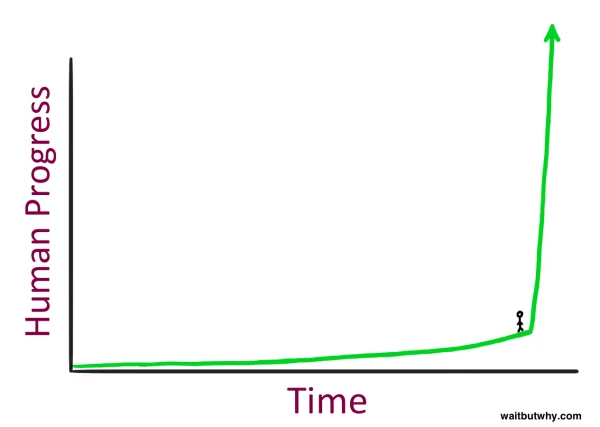 Everything feels roughly the same until it suddenly doesn’t (Credit: Tim Urban, WaitButWhy)
Then you look up and it is 2026 and the frontier has moved so far that the model you learned on — the one that felt impressive when it summarized your meeting notes — is now the slow, cheap, background option that runs when nobody wants to pay for the good one.
Let’s be specific about where the frontier actually is right now, because most people have no idea.
Two years ago, the best publicly available AI model could write a decent paragraph and occasionally hallucinate a fake legal citation. That was the state of the art. Today, the frontier model landscape looks like this: you have GPT-5.2 and GPT-5.3 from OpenAI, with Codex and Codex Desktop handling autonomous coding tasks. You have Gemini 3 Pro from Google. And from Anthropic, you have Claude Opus 4.6 and Sonnet 4.6, with Claude Code for agent orchestration and Claude Cowork for enterprise multitasking across recurring workflows.
These are not incremental upgrades in the way that iPhone 14 to iPhone 15 is an incremental upgrade. The capability gap between what existed two years ago and what exists today is closer to the gap between a library card and a research assistant who never sleeps.
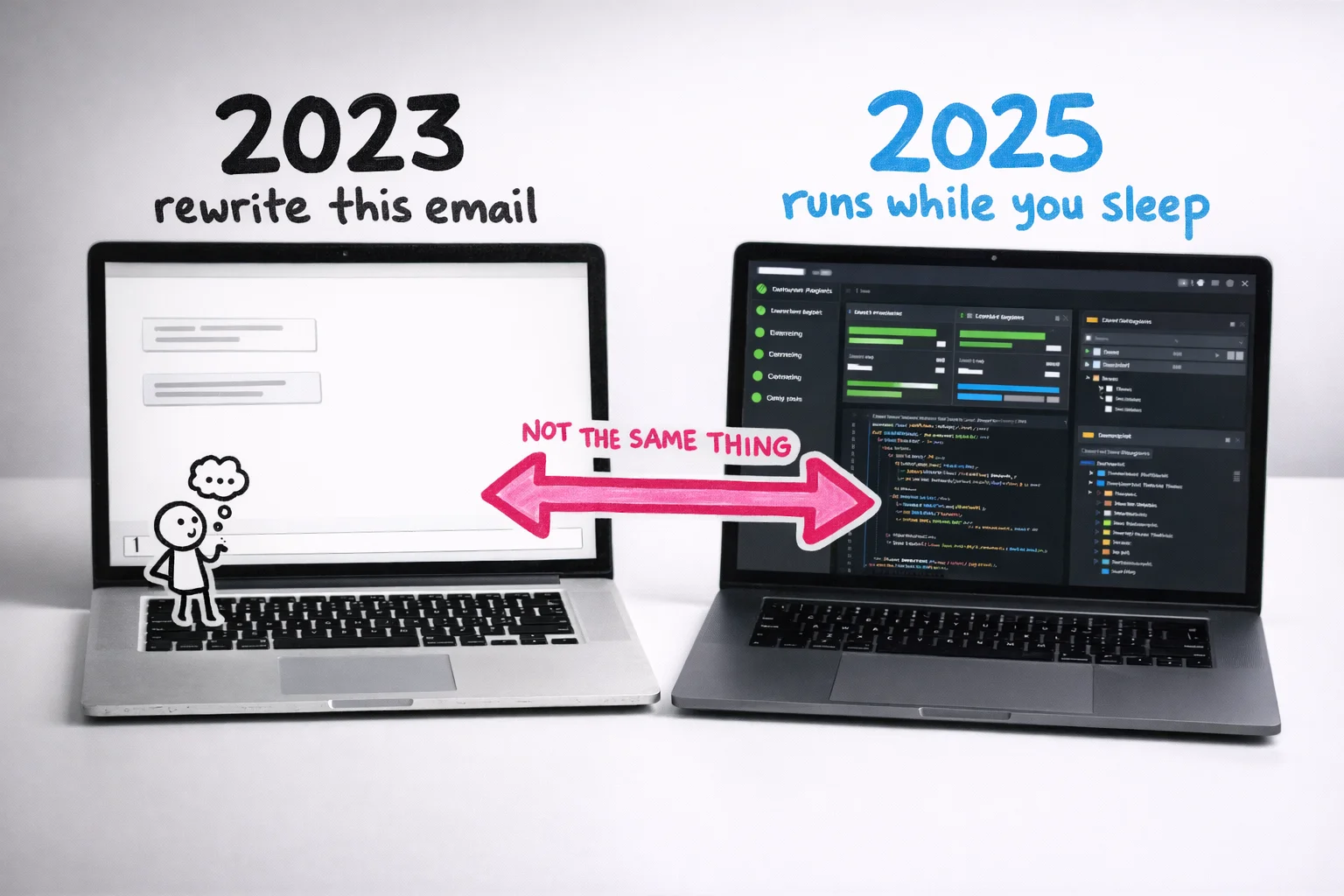 These are not two versions of the same tool — they are two different categories of thing.
The specific moment that developers point to as a genuine step change — not marketing, but a real before-and-after — is Claude Opus 4.5. On SWE-bench Verified, a benchmark that tests AI on real-world software engineering tasks, Opus 4.5 scored 80.9%, ahead of GPT-5.1 at 76.3% and Gemini 3 Pro at 76.2%. On Terminal-Bench, which tests autonomous command-line operation, it scored 59.3%, against Gemini 3 Pro’s 54.2% and GPT-5.1’s 47.6%. [32] [33] [35]
Those numbers are not interesting because of the numbers. They are interesting because of what they represent: a model that can sit down at a computer, read a codebase it has never seen, identify a bug, write a fix, run the tests, and ship the result — without a human in the loop. Developers who used it described the experience less like using a tool and more like delegating to a junior engineer who happened to work at the speed of a computer. [35]
Opus 4.6, released just a couple of months later, then extended that into knowledge work more broadly: a one-million-token context window (meaning it can hold an entire company’s documentation in its working memory at once), a 128,000-token output limit, stronger autonomous operation, and native integration into Claude Code and Cowork. [34] [36] [37]
You do not need to understand what any of that means technically.
You need to understand what it means practically: the tools that existed when you got your LinkedIn AI certificate are not the tools that exist today, and the tools that exist today are not the tools that will exist in eighteen months.
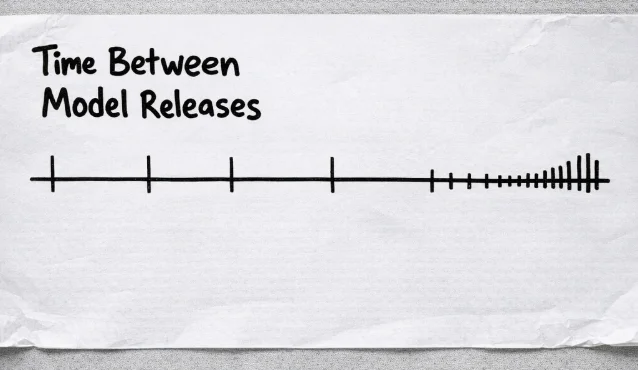 The gap between major releases isn’t shrinking gradually — it’s collapsing.
The uncomfortable version of the DPU argument, applied specifically to AI, is this: we may be approaching a point where a single DPU takes not a decade but a year. Maybe less. The compounding is not slowing down. The people building these systems are using the systems to build better systems, which is exactly the dynamic Kurzweil described and the Waitbutwhy post illustrated with stick figures a decade ago.
None of this is meant to be scary in a science-fiction way. Skynet is not the concern (yet). The concern is much more mundane and much more immediate: the gap between what the most capable AI users can do and what the average knowledge worker can do is widening faster than most people realize, and the average knowledge worker is not watching the gap. They are switching tabs between Microsoft Outlook and ChatGPT.
The good news — and there is genuine good news here — is that the distance between “using AI to rewrite emails” and “using AI to run a research workflow that would have taken a team” is not years of technical training. It is a few deliberate habit changes and a willingness to stop treating these tools like a fancier search engine.
But that requires first accepting that the timeline is not what you thought it was. You don’t have as much time as you think.
The people who will escape the permanent underclass have access to the same tools as you. Same price. Same interface. The only difference is what they do with them.
One person. The output of a small team.
Let’s be specific about what “using AI well” actually looks like, because the version in your head is probably wrong.
The version in your head is probably someone who writes better prompts. Someone who gets a cleaner first draft out of ChatGPT, or who uses Claude to summarize a long document instead of reading it themselves. Someone who is, essentially, doing the same job they’ve always done, just slightly faster, with a slightly tidier inbox.
That person exists. That person is also, to be blunt, still headed to the permanent underclass. They’ve just made the ride a bit more comfortable.
The “escape-the-permanent-underclass” version looks different in kind, not just degree. Here’s a mini case-study:
The “Claudepilled” marketing founder
Laura Roeder built a company called MeetEdgar, sold it, and then built Paperbell, a coaching software company that does seven figures in annual revenue.
The most important thing you need to know about her though, is that she is not a developer. Yet, what she has been able to achieve using AI tools and not knowing how to code, will blow a normie’s mind.
In a post she titled “A Week in the Life of a Claudepilled Marketing Founder”, she describes building a complete, repeatable video content pipeline in a single week. [41] The pipeline takes a blog post or a workshop recording and converts it into a ready-to-post video: script, visuals, edits, captions. The whole thing. Not “here’s a rough draft of the script, now go hire someone.” The finished output.
She didn’t hire a video team. She didn’t outsource to an agency. She built a system, once, that now runs on autopilot. [42]
A normie would’ve asked ChatGPT to help them “brainstorm ideas for their next YouTube video” and called it a day.
This is the thing that’s hard to internalize if you’re still thinking about AI as a drafting assistant. Roeder isn’t using AI to do her job faster. She’s using it to build infrastructure that does the job without her. The distinction sounds small. It is not small.
The Federal Reserve Bank of St. Louis found that daily AI users typically save at least four hours per week, while workers who use AI only occasionally report almost no time savings at all. [47] That gap isn’t about which tool they’re using. It’s about whether they’ve crossed from “AI as assistant” to “AI as system.”
What the system actually looks like (in non-technical terms)
Here’s the mental model that makes this click. Forget “AI tool.” Think “junior team member who never sleeps, never gets bored, and can be cloned.”
The normie gives that team member one task at a time and waits for the result. The leveled-up user gives that team member a process, a set of rules, and a trigger, and then goes to do something else.
The normie says: “Write me a summary of this report.”
The leveled-up user says: “Every Monday morning, pull the weekly sales data, compare it to last week, flag anything that moved more than 10%, and send me a three-bullet briefing before my 9am.”
One of those is a task. The other is a job that used to belong to a junior analyst.
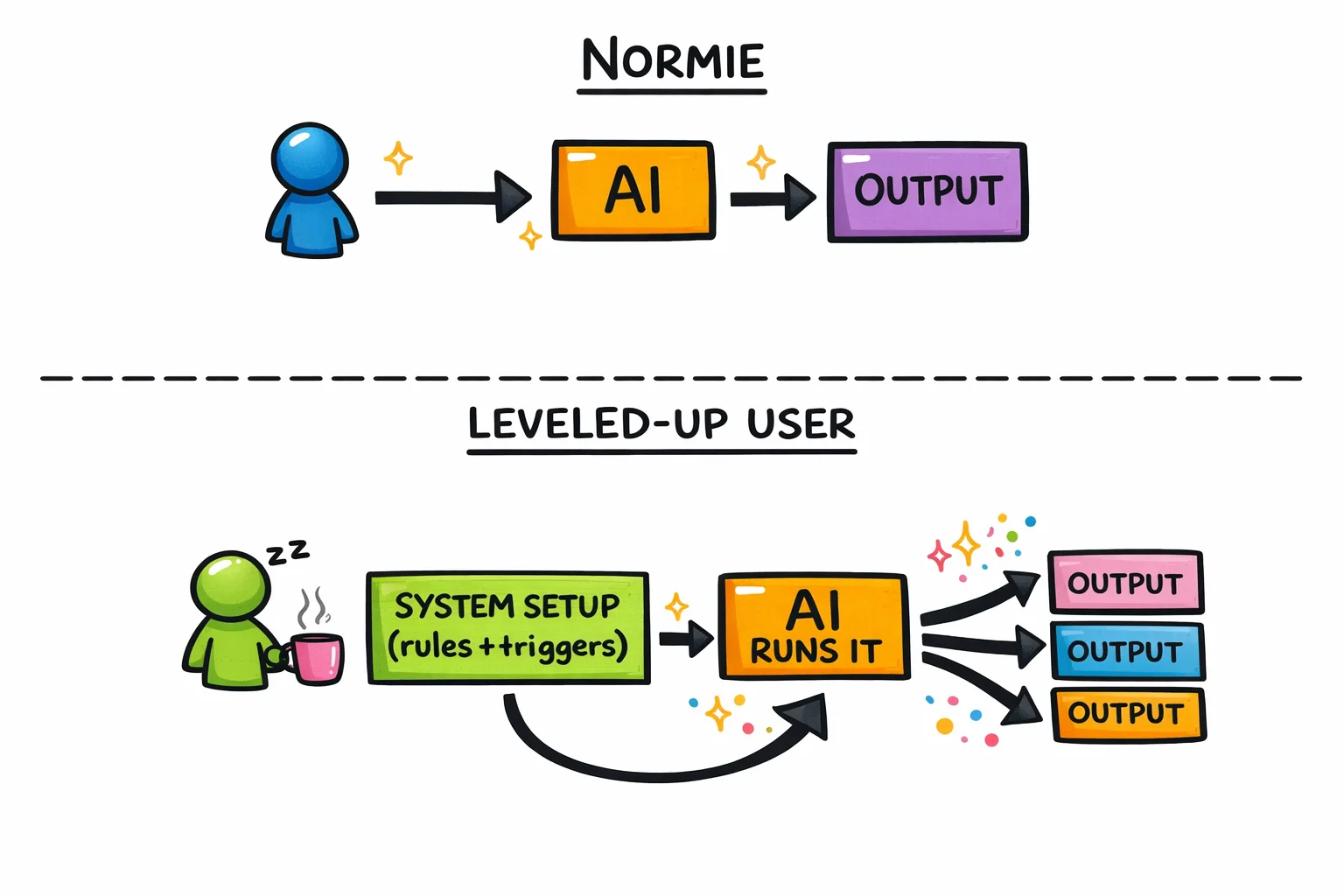 One is a task. The other is a job that used to belong to a junior analyst.
This is what Sam Altman was gesturing at when he told Alexis Ohanian in early 2024 that we’re not far from a one-person billion-dollar company. [44] [45] The prediction sounds like hype until you watch someone like Laura Roeder actually do the thing: one founder, one small team, AI handling the repeatable work, revenue that doesn’t require headcount to grow.
The EY 2025 Work Reimagined Survey found that only about 5% of workers qualify as “advanced” AI users who blend multiple capabilities together. [50] Five percent. The other 95% are using AI the way most people used the internet in 1999: they know it exists, they’ve tried it a few times, and they’re mostly using it to do the thing they were already doing, slightly more conveniently.
What this looks like across industries (not just tech)
The Laura Roeder example is useful because she’s a founder, but the pattern shows up everywhere once you know what to look for.
A financial analyst at a mid-size firm sets up a workflow that monitors a portfolio of competitor earnings calls, extracts the key metrics, and produces a formatted comparison table before the morning standup. She used to spend two hours on this every quarter. Now she spends twenty minutes reviewing the output and adding her own interpretation, which is the part that actually requires her.
A restaurant owner with three locations uses AI to analyze reservation patterns, flag which nights are consistently underbooked, and draft targeted email campaigns to regulars for those specific nights. He has no marketing team. He has a system.
A project manager at a mid-size agency builds a template that takes a client brief, generates a first-pass project plan with milestones and resource estimates, and flags any scope elements that have historically caused overruns on similar projects. The plan still needs her judgment. The first draft no longer needs her time.
A solo copywriter sets up a research pipeline: drop in a client’s URL and a competitor’s URL, get back a structured brief covering positioning gaps, tone differences, and three angles worth testing. She used to charge for that research. Now she charges for the insight layer on top of it, which is worth more.
None of these people wrote a line of code. None of them have engineering backgrounds. All of them crossed the line from “AI as drafting assistant” to “AI as infrastructure.”
 Four different jobs, one shared upgrade: from AI as drafting assistant to AI as infrastructure.
The new job descriptions that didn’t exist 18 months ago
Here’s where it gets interesting, and where the identity shift starts.
The leveled-up knowledge worker isn’t just doing their old job faster. They’re doing a job that didn’t have a name before. Some of it is starting to get names now.
“AI workflow architect” sounds technical. It isn’t, necessarily. It means: the person who figures out which repeatable processes in a business can be handed to an AI system, designs the handoff, and maintains the system. This is a judgment and process job, not a coding job. The people doing it well right now are often former ops managers, former executive assistants, former project managers, people who already thought in systems and just needed better tools.
“Prompt engineer” has become a slightly embarrassing term because it got overhyped early, but the underlying skill, knowing how to give AI clear, structured, context-rich instructions that produce reliable outputs, is real and it compounds. The person who’s been doing this for a year has a library of tested approaches. The person who started last week is still getting inconsistent results and blaming the tool.
“AI-augmented analyst” is a phrase some firms are starting to use internally for the person who can take a raw data set, a messy document, or a pile of customer feedback and turn it into a structured insight in an hour instead of a day. The analysis is still theirs. The grunt work is not.
These aren’t job titles you’ll find on LinkedIn yet, mostly. But they’re the descriptions of what the people who aren’t getting laid off are actually doing.
The uncomfortable math
EY’s finding that 5% of workers are advanced AI users isn’t just a statistic about adoption rates. [50] It’s a description of a leverage gap that is widening every month.
The advanced user isn’t 5% more productive than the basic user. The gap is structural. When one person can produce the research output of three analysts, the content output of a small marketing team, or the operational oversight of a department, the math on headcount changes.
This is not something that will happen eventually. It is happening now.
This is what the tech-circle joke about the “permanent underclass” is actually about. It’s not that AI will replace workers in some abstract future sense. It’s that a small number of workers have already figured out how to do the work of several people, and the people who haven’t figured this out yet are, from the outside, indistinguishable from people who are about to become redundant.
Luckily for you, the gap between “normie” and “advanced user” is closeable. The ladder out of the permanent underclass exists. The rungs are not that far apart.
The 5-rung ladder out of the permanent underclass
Here is the thing about the “permanent underclass” framing that nobody in the tech circles bothers to explain: it is not a fixed destination. It is a description of where you are standing RIGHT NOW if you have not moved. The joke only lands if you stay put.
So let’s talk about moving.
What follows is a five-rung ladder. No rung requires you to write code, write your own API calls, or know what a token is. Each rung describes a real thing you can do, a real shift in how you work, and a real change in what you are worth to an employer or a client. The tools at each rung — ChatGPT, Claude, Gemini, whatever ships next month — are largely interchangeable for rungs one through four. [53] The skills transfer. The prompting instincts transfer. The only thing that does not transfer is time you spent not climbing.
One more thing before we start: these rungs are not personality types or job titles. They are behaviors. The goal is to notice which rung you are actually on, not which rung you think sounds like you.
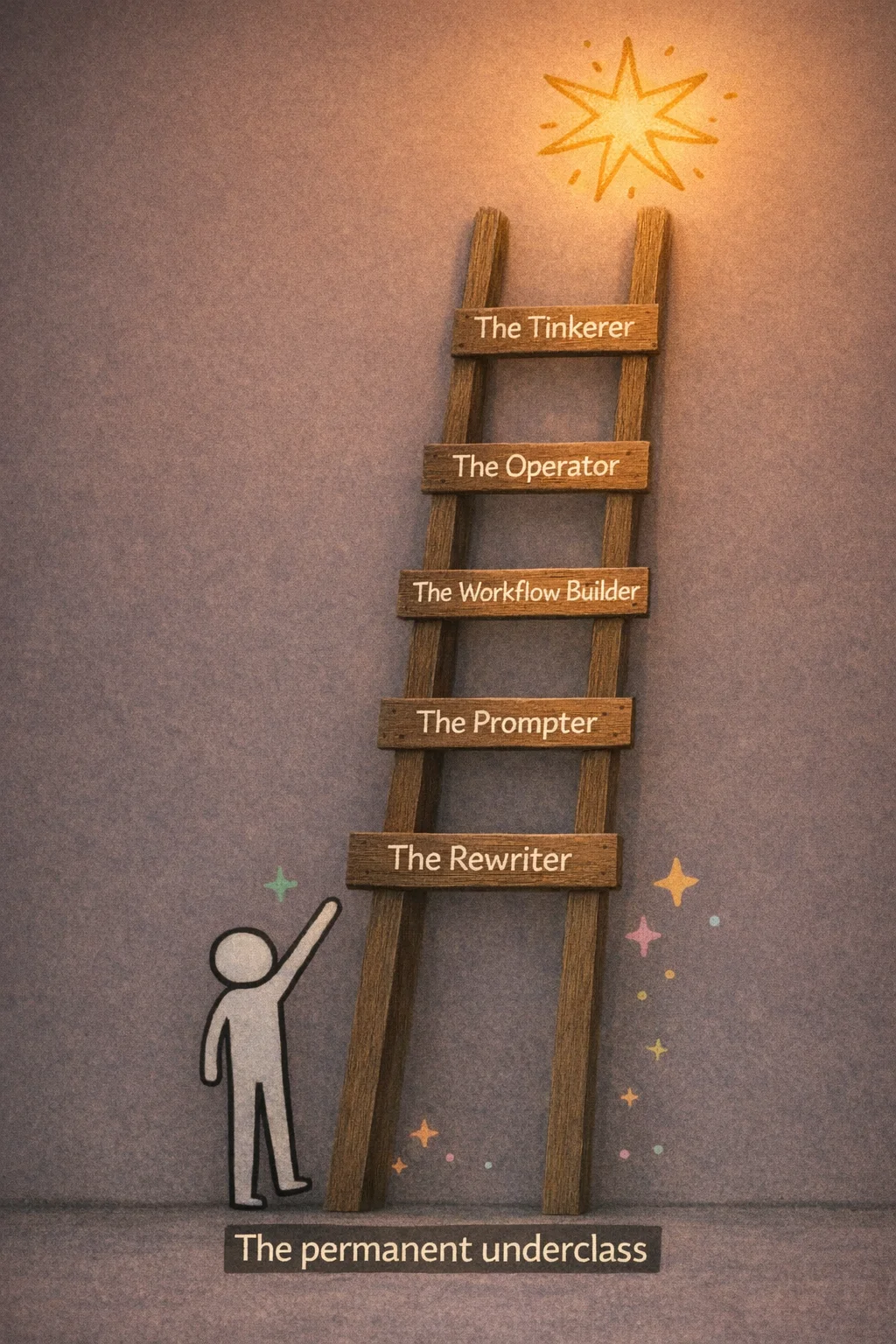 Five rungs, one direction — the only thing that doesn’t transfer is time spent not climbing.
Rung 1: The Rewriter — You’re using a $100 billion research assistant to fix your email tone
Let’s start with a quick exercise. Think about the last three times you opened ChatGPT. What did you use it for?
If the honest answer involves some combination of “made an email sound less passive-aggressive,” “asked it what to cook with the stuff in my fridge,” and “turned a photo of my dog into a Studio Ghibli character” — congratulations, you have just self-identified. You are a Rung 1 Rewriter, and this section is about you, written with genuine affection and a small amount of concern.
 The full extent of Rung 1’s AI portfolio: professional emails and extremely good dog art.
The Rewriter is the most populous rung on the ladder. There is no precise survey that pins down exactly what share of ChatGPT’s hundreds of millions of users operate this way, but the available signals point in one direction pretty clearly. Around 70 to 73 percent of ChatGPT conversations in mid-2025 were personal or non-work in nature. [69] [73] Only about 4.2 percent of messages were coding-related, and technical queries actually fell from roughly 18 percent of usage down to 10 percent between July 2024 and July 2025. [69] [70] The average session on ChatGPT.com runs about 12 to 13 minutes. [70] That is not someone building a system. That is someone fixing a paragraph, getting a recipe, and closing the tab.
The Ghibli thing is worth dwelling on for a moment, not to mock it, but because it is such a perfect illustration of where most people’s relationship with AI currently lives. In early 2025, OpenAI’s GPT-4o image generation launched, and within days the internet was awash in Ghibli-fied selfies, Ghibli-fied office photos, Ghibli-fied memes. [78] [79] Sam Altman himself posted one. The servers reportedly strained under the load. [79] It was genuinely delightful. It was also, in terms of what AI can do for your career and your economic future, roughly equivalent to discovering that your new sports car has a great cup holder.
 Millions of users discovered AI’s most powerful feature: making their coworkers look like they live in a Hayao Miyazaki film.
The Rewriter’s core behavior is what you might call the one-shot drop. You have a thing you need. You paste it in, or type a quick question, you get an answer, you copy it out, you close the tab. No iteration. No follow-up. No attempt to understand why the first answer was mediocre or how to get a better one. Reddit’s r/ChatGPT is a reliable window into this pattern: users posting about how ChatGPT gave them a generic or inaccurate response to a one-line prompt, frustrated that the tool “doesn’t really work,” unaware that they essentially handed a master chef a single ingredient and complained that the dish was bland. [68]
This is not a character flaw. It is a completely rational response to a tool that presents itself as a chat box. You type, it answers. That’s the interface. The problem is that the interface is hiding something much larger, and the gap between what the Rewriter uses and what the tool can actually do is, at this point, almost comically wide.
Here is the thing about staying at Rung 1: it feels fine. The email does sound better. The recipe was pretty good. The Ghibli dog was adorable. There is no immediate pain signal telling you that you are falling behind, because the people who are pulling ahead are not announcing it loudly. They are just quietly getting more done, with fewer people, and starting to look suspiciously productive in ways that are hard to attribute to anything specific.
 No alarm goes off when you’re falling behind — it just looks like everyone else getting quietly, suspiciously better at their jobs.
The Rewriter also tends to have a LinkedIn AI certificate. This is not a dig — the impulse to formalize learning is good. But the certificate, in most cases, documents that you completed a course about what AI is, not a course about what you can make AI do. It is the difference between a certificate confirming you watched a documentary about Formula 1 and an actual lap time. The credential exists; the capability gap does not close.
What makes Rung 1 genuinely risky right now, as opposed to merely suboptimal, is the speed at which the rungs above it are being populated. The people climbing are not geniuses or engineers. They are marketers and ops managers and solo founders who decided, at some point in the last year or two, to push past the one-shot drop and see what happened next. What happened next is the rest of this piece.
The exit from Rung 1 does not require a technical background. It does not require a new tool. It requires one habit change: instead of closing the tab after the first answer, you stay in the conversation. You say “that’s too formal, try again.” You say “give me three versions.” You say “what are you assuming about my audience that I haven’t told you?” You iterate.
That’s it. That is the entire delta between Rung 1 and Rung 2. It is smaller than you think, and the distance it covers is larger than you’d expect.
The Rewriter is not the permanent underclass yet. They are just standing at the bottom of the ladder, looking at their Ghibli dog, not realizing the ladder is there.
Rung 2: The Prompter — You’ve learned to ask nicely. That’s not enough.
Here is what a Rung 2 Prompter looks like in the wild: they have a ChatGPT Plus subscription, a Claude account they opened after seeing a LinkedIn post, and a folder on their desktop called “AI Prompts” that contains a document titled “good prompts.docx” with seventeen entries, most of which begin with “Act as a.”
They know that specificity matters. They’ve watched a YouTube video about “prompt engineering” and came away with the insight that you should tell the AI what role to play, what format you want, and what tone to use. They apply this knowledge. Their outputs are noticeably better than their colleagues’. They feel, not unreasonably, like they’re ahead.
They are not ahead. They are at the starting line.
 Feeling ahead because you know prompt engineering is like feeling ready for the race while everyone else is already halfway down the track. Oh, and you’re actually facing the wrong way.
To be clear: getting to Rung 2 is real progress. The gap between someone who pastes a raw question into ChatGPT and someone who actually constructs a prompt with context, role, format, and constraints is meaningful. The Prompter gets better outputs, wastes less time on back-and-forth, and has started to internalize something important: the AI is only as useful as the instructions you give it. That’s a genuine insight. Most people never get there.
But here’s the trap, and it’s a comfortable one: Rung 2 feels like proficiency. You’re getting results. Your boss is impressed. You’ve started saying things like “it’s all about the prompt” in meetings, which is technically true the way “it’s all about the engine” is technically true about Formula 1. Yes. And also there are about forty other things going on.
The specific thing that separates a Prompter from the next level up isn’t cleverness. It’s persistence. A Prompter treats every conversation as a fresh start. They open a new chat, reconstruct the context from scratch (“I’m a marketing manager at a B2B SaaS company, our tone is professional but approachable…”), get their output, and close the tab. Tomorrow they do it again. They are, in effect, hiring a brilliant contractor every single morning and spending the first hour re-explaining the company to them.
This is where Projects come in, and if you haven’t set one up yet, this is the most concrete thing you can do today.
Both ChatGPT and Claude now have a Projects feature that creates a persistent workspace: a place where your custom instructions, uploaded files, and related conversations all live together. You tell the AI once that you’re a marketing manager at a B2B SaaS company with a professional-but-approachable tone, that your main competitors are X and Y, that you never use the word “synergy,” and that your audience is mid-market CFOs. You upload your brand guidelines, your last three campaign briefs, your persona docs. That context is now always there. Every new chat inside that project starts with the AI already knowing all of it. [4] [6]
Claude’s Projects, which launched in mid-2024 for Pro and Team users, run on a context window reported at around 200,000 tokens — roughly the length of a long novel — which means you can stuff in a genuinely substantial amount of background material before it starts to matter. [7] ChatGPT’s Projects became available to free users in late 2025, [8] so there’s no longer a paywall excuse. File upload limits vary by tier — free accounts get around five files, paid tiers considerably more [10] — but even five well-chosen documents (your style guide, your product one-pager, your target persona, your competitor matrix, your last quarterly report) will change the quality of what you get back.
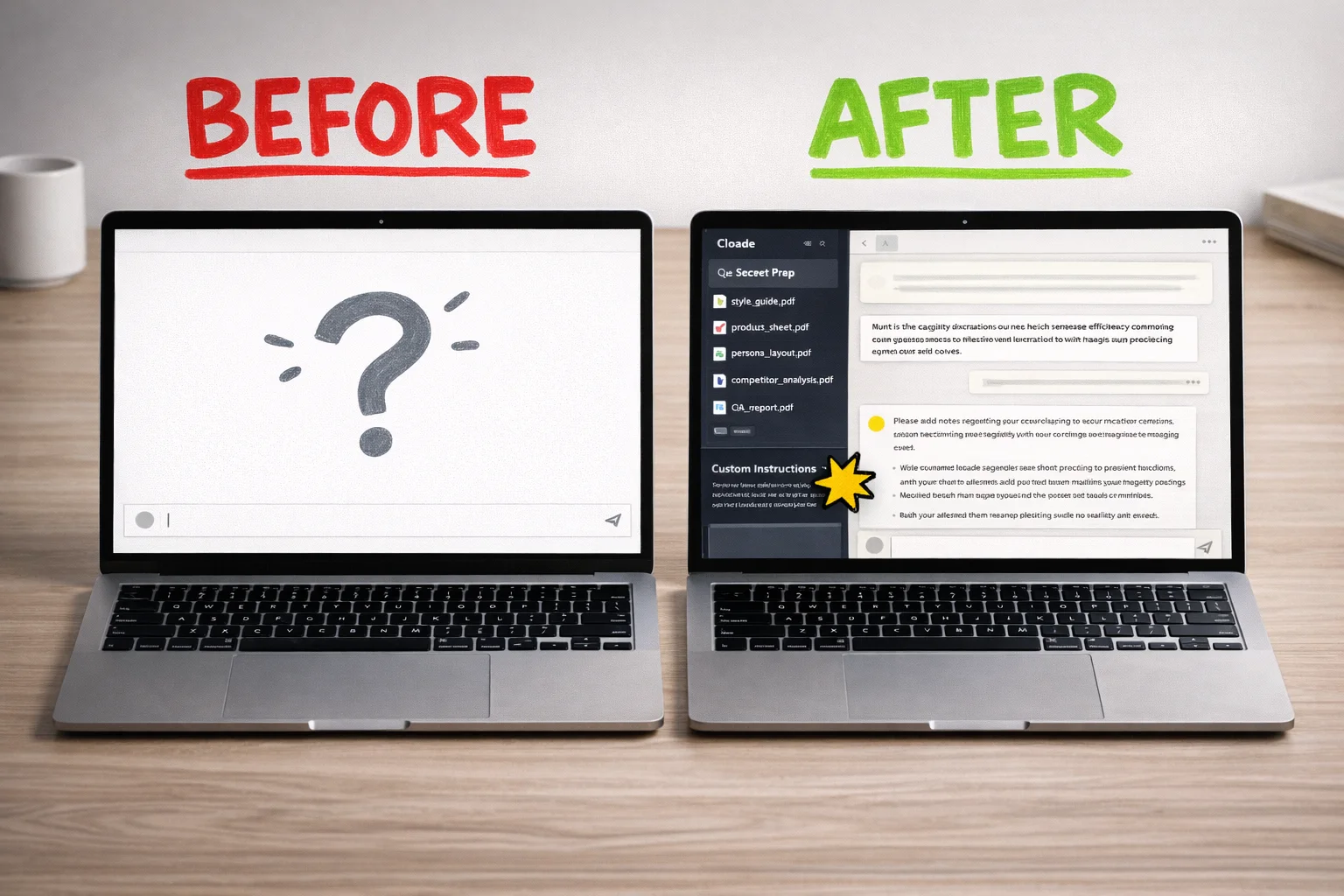 A blank chat window versus a configured Project workspace — the difference in what the AI knows about you before you type a single word.
The custom instructions piece is worth dwelling on, because it’s where most Prompters leave the most value on the table. Inside a project, custom instructions function as a persistent system prompt: a set of rules and context that applies automatically to every single conversation in that workspace. [1] [2] You’re not just setting a tone preference. You’re defining the AI’s operating parameters for that entire domain of your work. “You are a senior analyst helping me prepare board-level financial summaries. Always lead with the key number. Never use passive voice. When I give you raw data, your first move is to identify the three most surprising figures and explain why they’re surprising.” That instruction, written once, shapes every output you get from that project forever, or until you change it.
This is the difference between prompting and configuring. Prompting is what you do in a conversation. Configuring is what you do to the workspace before the conversation starts. Prompters are good at the first thing. The next rung up is good at both.
A few things worth doing if you’re building your first project:
Start with one specific, recurring work task rather than trying to capture your entire job. A project for “weekly status reports” is more useful than a project called “work stuff.” Upload the last three examples of the output you want, write instructions that describe what makes a good version versus a bad version, and iterate from there. The best custom instructions read less like a polite request and more like an onboarding document for a new hire who is extremely capable but has never met you before.
Enable project-only memory if you’re using ChatGPT, so that details from this workspace don’t bleed into your other conversations. [5] It’s a small setting that prevents the AI from, say, applying your board-presentation voice to the casual Slack message you’re drafting in a different tab.
And share the project with your team if the platform allows it. A well-configured project is a piece of institutional knowledge. The analyst who leaves doesn’t take the prompt library with them.
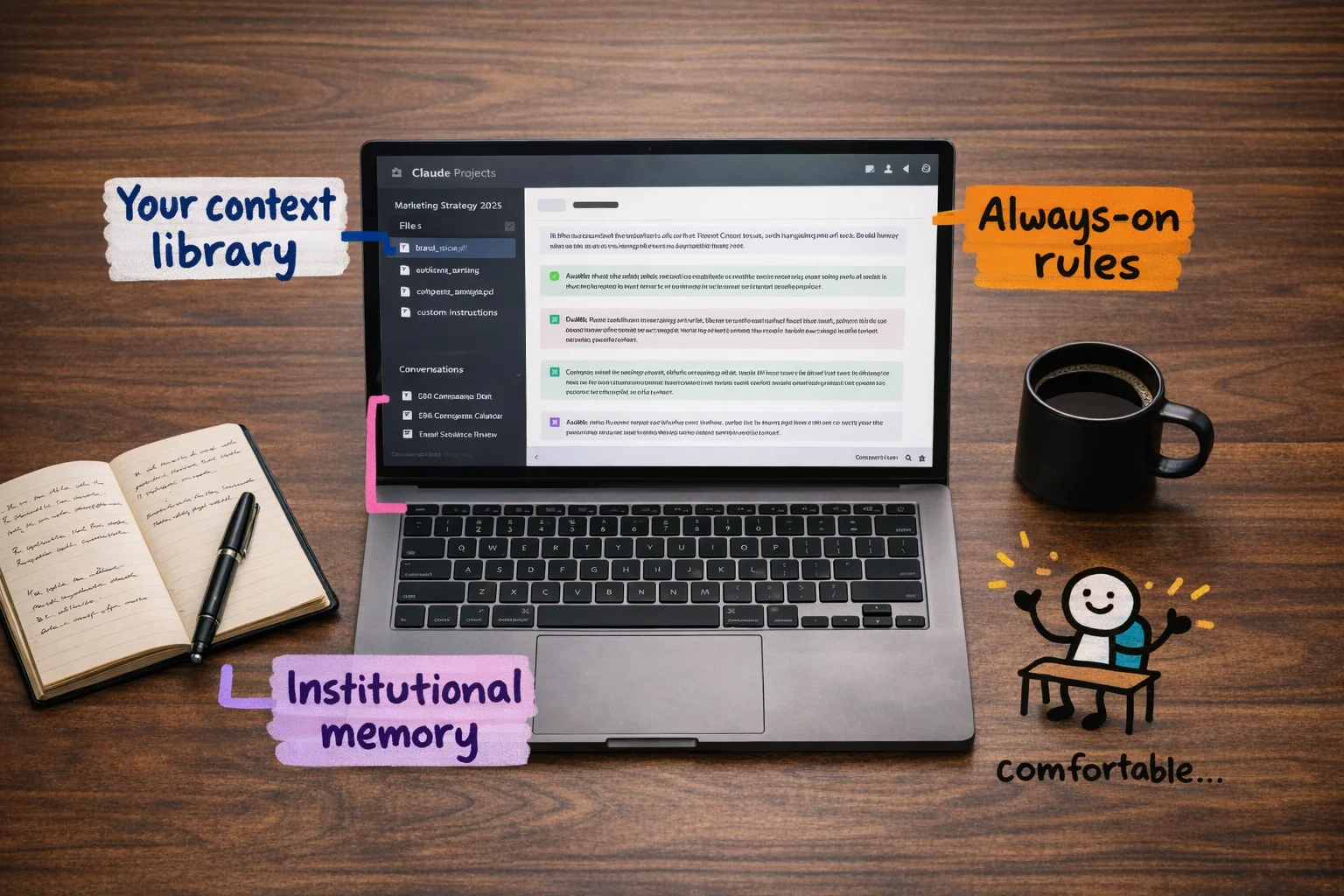 A well-configured Project feels like mastery — named files, persistent instructions, organized threads — but this is now just the table stakes.
Now. Here is the part where we have to be honest with each other.
Everything described above — Projects, custom instructions, context engineering, persistent memory — is, as of right now, the new baseline. Not the advanced move. The baseline. The thing that, in eighteen months, every knowledge worker who still has a job will be doing without thinking about it, the way everyone now knows to CC instead of BCC when emailing a group.
The Prompter rung is not a destination. It is the minimum viable version of AI literacy, and the minimum is moving. The models are getting better faster than most people’s habits are changing. Someone who masters Projects and custom instructions today and then stops learning will be in the same position by the end of 2026 that someone who learned to use Google search operators in 2010 and then stopped is in now: technically more capable than their grandparents, practically behind everyone who matters.
The uncomfortable math is this: the people who are going to be genuinely hard to replace aren’t the ones who learned to prompt well. They’re the ones who kept going after that. Prompting is table stakes. What comes next is where the actual distance opens up.
So: set up the project. Write the instructions. Upload the files. Feel good about it for approximately one weekend. Then come back and read the next section.
Rung 3: The Workflow Builder — Where “I use AI” becomes “AI works for me”
Here is the honest truth about Rungs 1 and 2: they make you faster at things you were already doing. You write the email, AI polishes it. You have the idea, AI expands it. You are still the engine. The AI is a very good spell-checker with opinions.
Rung 3 is where that relationship inverts.
At this level, you stop being the person who does the work with AI assistance, and start being the person who designs the work and lets AI run it. You build a small machine, point it at a problem, and walk away. The machine handles the repetitive middle part. You come back to results.
This is also, to be completely honest, the scariest rung on the ladder. Going from Rung 2 to Rung 3 feels less like a step up and more like a jump across a gap you can’t quite see the bottom of. Words like “workflow automation” and “no-code app” sound like things that require a computer science degree or at least a very patient YouTube tutorial. They do not. But the gap feels real, and pretending otherwise would be condescending.
So let’s close it.
 The gap between ‘AI helps me write’ and ‘AI does things for me’ feels like open water — but the bridge is already going up.
What a workflow actually is
Before any tools, a definition. A workflow, in this context, is just a sequence of steps that happens automatically when something triggers it. That’s it. You already understand workflows intuitively — you just don’t call them that.
When a new lead fills out your contact form, someone (probably you) gets a notification, copies their info into a spreadsheet, sends a welcome email, and adds them to a CRM. That’s a workflow. It’s just a manual one, which means it happens inconsistently, at inconvenient times, and only when you remember to do it.
A Rung 3 workflow does all of that automatically, and at some of those steps, an AI model makes a judgment call — drafting a personalized response, categorizing the lead, flagging something unusual for your attention. The workflow receives A and produces B. No one is sitting there doing it. You built the machine once; now it runs.
The tools that let you build these machines without writing code are n8n, Zapier, and Make. They use a visual canvas where you connect boxes — “when this happens, do that, then do this other thing.” The boxes can include AI steps. You can drop a Claude or ChatGPT or Gemini call right in the middle of a workflow, feed it context, and pipe its output to the next step.
What this actually looks like in practice
A marketing manager at a mid-size company builds a workflow in Zapier: when a competitor publishes a new blog post (detected via RSS feed), the workflow pulls the content, sends it to an AI model with a prompt asking for a one-paragraph competitive summary and a flag if it mentions any of their product’s key features, then posts the summary to a Slack channel. She set it up in an afternoon. It now runs every day without her.
An ops person at a logistics company builds a workflow in n8n: when a customer submits a complaint via email, the workflow categorizes the complaint by type, pulls the relevant order data from their system, drafts a response using an AI model, and routes it to the right team member with a suggested reply pre-written. The team member reviews, edits if needed, and sends. What used to take 20 minutes of context-switching now takes 90 seconds of review.
A solo consultant builds a workflow in Make: every Sunday night, it pulls her calendar for the coming week, her open tasks from Notion, and any unread emails flagged as important, feeds all of it to an AI model, and produces a Monday morning briefing document waiting in her inbox when she wakes up. She has not manually written a weekly plan since March.
None of these people wrote a line of code. They connected boxes.
The organizational-level numbers, where they exist, are striking. Zapier’s own case study documentation [107] includes examples like Vodafone reporting £2.2M in savings and Stepstone achieving a 25x acceleration on certain processes after implementing automated workflows. [104] [105] These are large companies with dedicated teams, so the absolute numbers don’t translate directly — but the ratio does. The underlying logic of “stop doing the repetitive middle part manually” scales down to one person just as well as it scales up to a thousand.
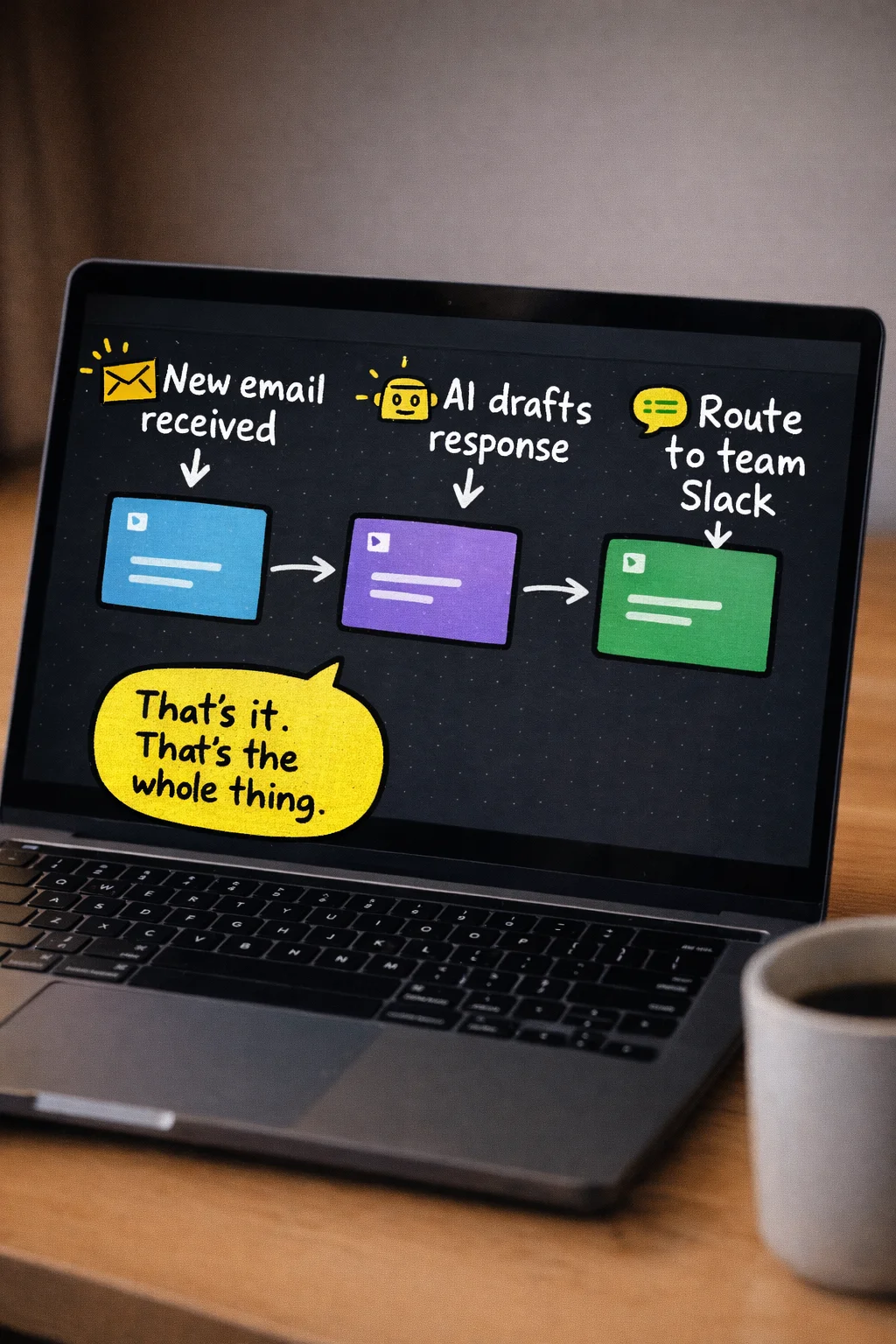 A workflow is just three boxes and two arrows — the intimidating part is mostly in your head.
Claude Cowork: the version for people who find canvas tools intimidating
If the visual canvas of n8n or Zapier still feels like too much of a leap, there is now a more conversational on-ramp. Claude Cowork is a feature inside the Claude Desktop app — currently in research preview for paid subscribers — that lets you describe a multi-step task in plain language and have Claude plan and execute it autonomously. [98] [99]
The key distinction from a regular Claude conversation is that Cowork doesn’t just respond to you — it acts. It runs inside an isolated virtual machine on your computer, accesses only the folders you explicitly share with it, and can open browsers, send emails, interact with Slack, and write files directly to your filesystem. [98] [100] Destructive actions — deleting files, sending something you haven’t approved — require your sign-off first. [101]
You can tell it: “Every Monday morning, pull last week’s sales data from this folder, summarize the key trends, and draft a report in this template.” It will do that. Not once — on a schedule, automatically, while you’re doing something else. [99] [102] You can tell it: “Research the top five competitors in this space, compile their pricing pages into a comparison table, and save it as an Excel file.” It will plan the subtasks, execute them in parallel where it can, and deliver a finished file. [98] [100] [103]
The honest limitations: as of now, Cowork requires the Desktop app to be open and your computer to be awake when scheduled tasks run, it’s macOS and Windows only, and session persistence is still being developed. [98] [99] [102] It is not a set-it-and-forget-it server running in the cloud. But for a knowledge worker who wants to start automating multi-step tasks without touching a workflow canvas, it is a genuinely accessible entry point.
The framing that matters here: Cowork is the non-coder’s version of what developers do with Claude Code. Same underlying capability, different interface, different audience. [99] [100] [103] You don’t need to know what Claude Code is. You just need to know that Cowork exists and that it was built specifically for people who don’t want to touch a terminal.
Your first app (yes, you)
The other thing that happens at Rung 3 is that you build your first small application. Not a website. Not a SaaS product. A small, specific tool that solves one problem you have, that you can share with a link.
Replit and Lovable are the two main tools for this. You describe what you want in plain English — “a form where clients can submit feedback, and it emails me a summary with an AI-generated priority score” — and the tool builds it. [108] [109] [110] You can iterate by describing changes: “make the form shorter,” “add a dropdown for project name,” “change the color scheme.” You are not writing code. You are having a conversation with something that writes code on your behalf.
Replit’s own documentation includes the example of Rokt, a company that used Replit Agent to create 135 internal apps in 24 hours. [110] That number is almost certainly a stress test rather than a typical use case, but the underlying point holds: the barrier to “I need a small tool that does X” is now a few hours of conversation, not a developer hire or a six-week project.
For a normie knowledge worker, the practical applications are things like: a client intake form that auto-categorizes responses and sends a tailored follow-up email. A simple dashboard that pulls data from a spreadsheet and displays it visually for a weekly team meeting. A tool that lets your team submit requests in a structured format instead of a chaotic Slack thread. Small, specific, genuinely useful.
Using different models for different jobs
One more thing that starts happening at Rung 3: you stop treating AI as a single tool and start treating it as a toolkit. Different models are better at different things, and at this level you start to notice.
You might use ChatGPT for brainstorming and first drafts because it’s fast and generative. You might use Claude for anything requiring careful reasoning, nuanced tone, or long documents because it tends to be more precise and less prone to confident nonsense. You might use Gemini for anything that needs to pull from recent web information or integrate with Google Workspace. You might use a specialized model for image generation, a different one for transcription, another for data analysis.
This is not brand loyalty. It’s the same logic as using a different tool for different jobs in any other domain. A hammer is not a screwdriver. The Rung 3 worker has a toolkit; the Rung 1 worker has a hammer they use for everything.
The workflows you build at this level can route tasks to different models automatically. An n8n workflow can send a draft to Claude for tone review, then send the approved version to a different model for translation, then post the result to your CMS. The models are interchangeable components. You are the architect.
Why this rung matters more than any other
Rungs 1 and 2 make you a better individual contributor. Rung 3 makes you something different: a person whose output is no longer limited by the number of hours in their day.
When your workflows run while you sleep, when your apps handle the intake and routing and summarizing that used to eat your afternoons, when you’ve connected the tools you already use to AI that can act on them — you have crossed a line that most of your colleagues haven’t crossed yet. You are not just faster. You are structurally different.
The gap between Rung 2 and Rung 3 is real. It will take a weekend of frustration and probably a few YouTube tutorials and at least one workflow that breaks in a way you don’t immediately understand. That is the price of admission, and it is worth paying. The people on the other side of that gap are not smarter than you. They just got there first.
Rung 4: The Operator — The part where you learn to use the terminal and it turns out to be fine
Here is the thing nobody tells you about the terminal: it looks like a 1983 computer because it IS a 1983 computer interface, and that is the entire reason it still exists. It is fast, it is precise, and it does not care about your feelings. For thirty years, this made it the exclusive property of people who wore Linux t-shirts unironically. That era is over.
Rung 4 is where the gap between “AI user” and “AI operator” opens up. The people on this rung are not engineers. They are people like you who decided, at some point in the last year or two, to stop being scared of a black rectangle with a blinking cursor. What they discovered is that the terminal is just a text box that does more things. And when you have an AI sitting next to you that can tell you exactly what to type, the learning curve compresses from years to weeks. [113]

What Claude Code and Codex actually are (in plain language)
Claude Code is an AI agent that lives in your terminal. You open it, you describe what you want in plain English, and it reads your files, writes code, runs tests, and makes changes — across multiple files at once — while you watch. You do not write the code. You review what it did, the same way you would review a draft from a contractor. [112]
OpenAI’s Codex works similarly but integrates more tightly with ChatGPT and GitHub. You describe a task, it produces an editable diff (a clean before/after view of what changed), and it can open a pull request on GitHub directly. Again: you are not writing code. You are describing outcomes and approving changes. [119]
The mental model that makes this click: think of Claude Code or Codex as a very fast junior developer who never sleeps, never gets offended when you change your mind, and needs you to tell them what you want in plain sentences. Your job is to be the person who knows what the project is supposed to do. Their job is to figure out how to make it do that.
This is not a metaphor designed to make you feel better. It is operationally accurate. Non-developers are using these tools right now to build functioning web apps, automate multi-step workflows, and manage entire project repositories — without writing a line of code themselves. [114] [116]
The setup takes twenty minutes, not a semester
Getting started with Claude Code requires a Claude Pro subscription (around $20/month), Node.js installed on your computer, and a terminal. That is the complete list. Most beginner guides put the time from zero to first working task at somewhere between five and twenty minutes. [112] [113] [114]
Codex is even more accessible if you already have a ChatGPT Pro account — you can start through the web interface or desktop app without touching a terminal at all, and move to the CLI later if you want more control. [120] [123]
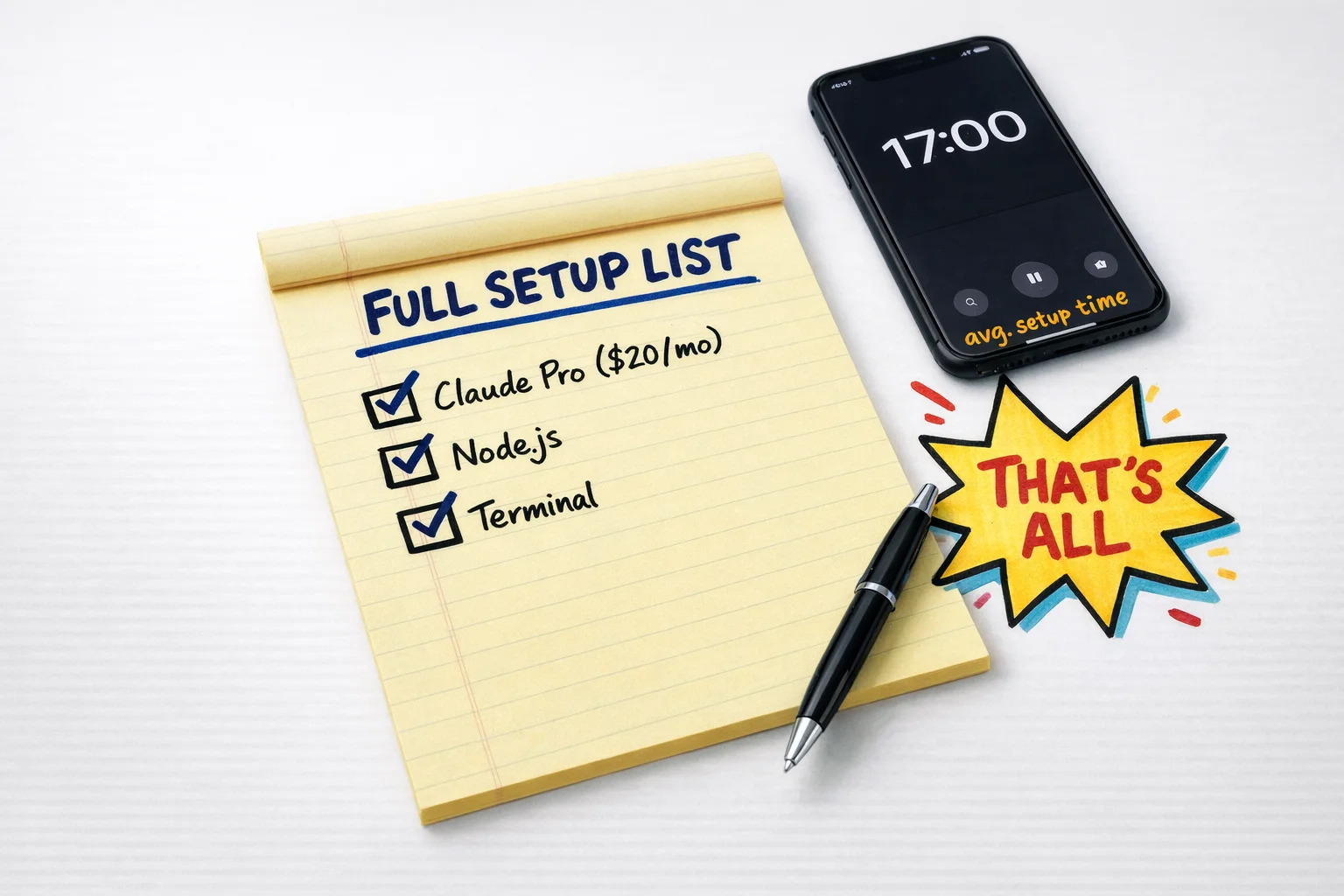 Three things, 2 minutes — that’s the entire barrier between you and your first working AI coding session.
The first thing most people do when they get Claude Code running is ask it to explain a folder of files they have never understood. It reads the whole thing and gives you a plain-English summary. This is, genuinely, the moment most people stop being scared of codebases. The files were never the problem. The problem was having no one to ask.
CLAUDE.md: the thing that makes it feel like your own team
One of the more quietly useful features of Claude Code is a file called CLAUDE.md. You create it in your project folder and write down the rules: your brand voice, your naming conventions, what the project is supposed to do, what it should never do. Claude reads this file at the start of every session and treats it as standing instructions. [116] [117]
This is the equivalent of an onboarding document for a new hire, except the new hire reads it perfectly every single time and never develops their own opinions about whether the rules still apply. For a solo operator running multiple projects, this is the difference between spending the first ten minutes of every session re-explaining context and just getting to work.
APIs without understanding them
“API” is one of those words that has been used to intimidate non-technical people for so long that it has acquired a kind of mythological status. An API is a door. It is a door that lets two pieces of software talk to each other. You do not need to understand how the door was built to walk through it.
At Rung 4, operators are connecting tools together through APIs — pulling data from Airtable into a report, sending Slack messages when a spreadsheet updates, triggering an email sequence when a form is submitted — without understanding the underlying mechanics. They are doing this because Claude Code or Codex can write the connection code for them when they describe what they want. [118]
The practical version of this looks like: “I want to pull the last 30 days of sales data from our Shopify store and drop it into a Google Sheet every Monday morning.” You say that. The AI writes the code. You run it. It works, or it almost works, and you describe what is wrong, and it fixes it. This is the loop. It is not glamorous. It is extremely useful.
GitHub: the filing cabinet that also tracks every change you ever made
GitHub is where code lives. More specifically, it is where code lives in a way that tracks every change, lets you roll back to any previous version, and lets multiple people (or multiple AI agents) work on the same project without destroying each other’s work.
You do not need to understand Git deeply to use it at Rung 4. You need to know roughly four things: how to clone a repository (download a copy of a project), how to commit changes (save a snapshot of what you did), how to push (send your changes back up), and how to read a pull request (a proposed change, with a diff showing what would be different). Codex can generate pull requests for you automatically. [119] [120] Claude Code handles git operations as part of its normal workflow. [117]
 A pull request is just a proposed change with a ‘before and after’ — and the Merge button is less scary than it looks.
The reason this matters for non-coders is that GitHub is increasingly where AI agents do their work. If you want to direct an AI agent to improve a project, fix a bug, or add a feature, GitHub is the shared workspace where that happens. Not knowing it exists is like not knowing your company has a shared drive.
Cron jobs: the thing that makes your automations run while you sleep
A cron job is a scheduled task. It is a way of telling a computer “run this thing every day at 6am” or “run this every Monday” or “run this on the first of every month.” The name is terrible. The concept is not complicated.
At Rung 4, operators are setting up cron jobs to run their automations on a schedule — pulling reports, sending summaries, updating databases — without any manual trigger. Combined with Claude Code or a simple script, this is how you build something that genuinely works in the background while you do other things. [117]
You do not need to understand cron syntax to use it. You describe the schedule you want to an AI, it writes the cron expression, you paste it in. Done.
What this rung actually looks like in practice
A marketing ops manager at a mid-size company uses Claude Code to build a script that pulls campaign performance data from three different platforms, formats it into a consistent structure, and drops it into a shared Google Sheet every morning. She did not know what an API was six months ago. The script took her a weekend to get working, with Claude Code doing the actual coding and her doing the describing, testing, and adjusting. Her team now has a report that used to take two hours a week to compile manually. [118]
A solo founder running an e-commerce brand uses Codex to manage his Shopify theme. When he wants to change how the product page looks, he describes the change in plain English, Codex produces a diff, he reviews it, and it goes live. He has not paid a developer in four months. [120]
These are not exceptional people. They are people who decided that “I’m not technical” was a description of their past, not a permanent condition.
The honest version of how long this takes
The research on this is consistent: non-technical users can get to basic operator-level outcomes — working prototypes, functional automations, managed repositories — in weeks, not years, when they combine AI coding tools with no-code platforms. [113] [117] [126]
“Weeks” means weeks of actual effort, not weeks of passive exposure. It means opening the terminal when it feels uncomfortable, asking the AI to explain the error message you do not understand, breaking something and fixing it, and doing that enough times that the discomfort becomes boredom. The learning curve is real. It is just much shorter than it used to be, because you now have a tool that can explain every step in plain language and write the code while you watch.
The people who stay at Rung 3 are not stupid. They are just not paying attention to how fast the floor is rising. Rung 4 is not the ceiling. But it is the point at which you stop being a passenger in your own workflow and start being the person who builds the vehicle.
Rung 5: The Tinkerer — You don’t have to go here, but this is where the frontier lives
Every rung up to this point has been about learning a tool. Rung 5 is about something different. It’s about becoming the kind of person who doesn’t care which tool it is.
The Tinkerer’s defining trait isn’t technical skill. It’s a specific relationship with obsolescence. They know, with complete certainty, that whatever they’re using right now will be embarrassingly outdated in six weeks. They know this and they don’t mind. They’ve already decided that staying at the frontier matters more than getting comfortable anywhere on it. So they move. Constantly. Mercenaries, not loyalists. When a better model drops, they switch. When a new agent framework gets 50,000 GitHub stars in a weekend, they’re in the repo by Monday. When the thing they built last month stops being the best way to do the thing, they rebuild it.
This is not the same as being a developer. Tinkerers at this rung are often not writing production code in any traditional sense. What they’re doing is closer to directing — assembling systems from components, instructing agents to build new capabilities, wiring tools together in ways that weren’t in any tutorial. The skill is judgment and curiosity, not syntax.
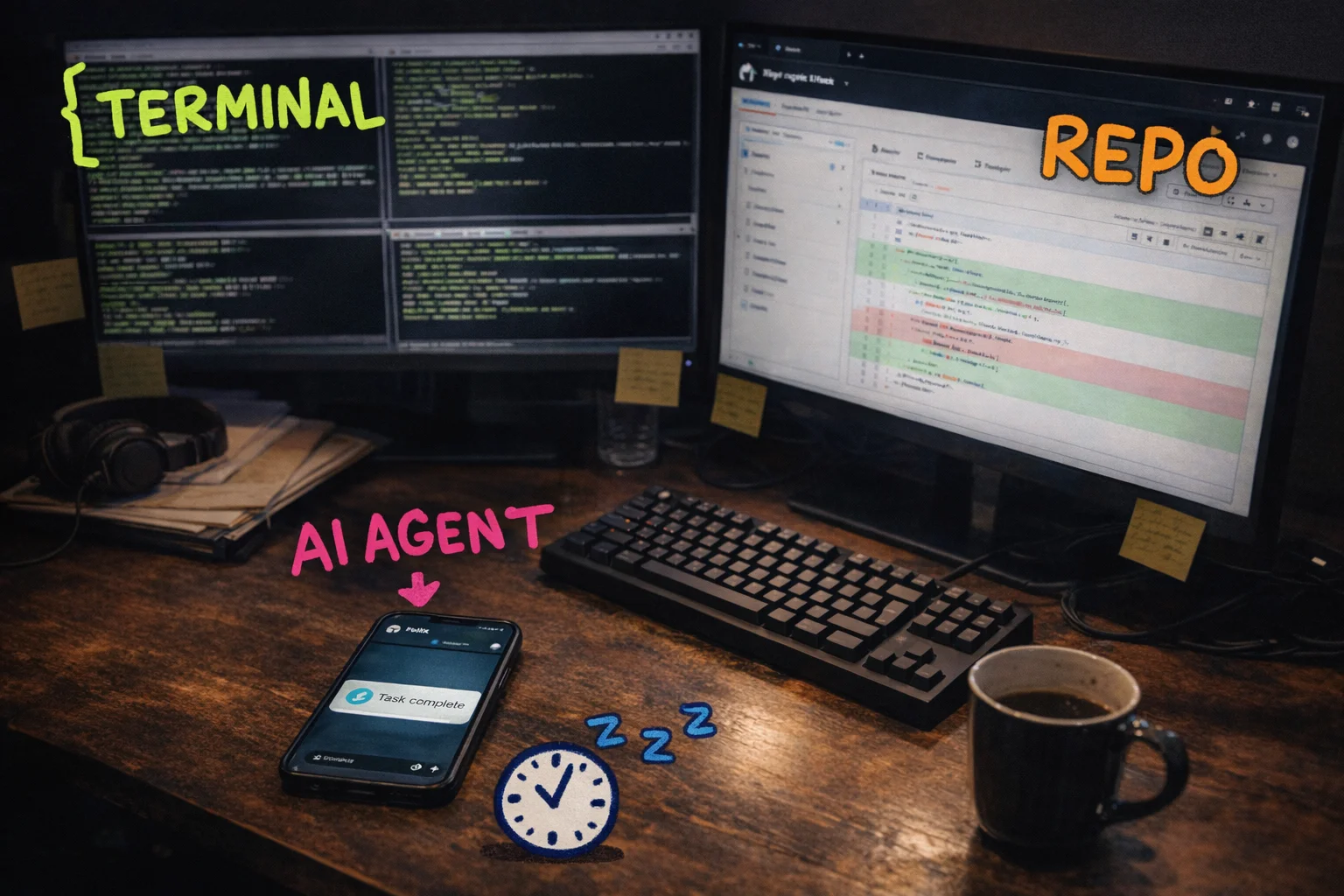 The Tinkerer’s desktop: terminal, repo, and an AI agent on Telegram — all running at once, all pointing in the same direction.
The reason this rung exists as a category is that the people living here are producing outputs that look, from the outside, like they are either lying or cheating. They are not. They have a stack, and they know how to keep it current.
What the frontier actually looks like right now
As of early 2026, the clearest example of what Tinkerers are running is OpenClaw — an open-source, MIT-licensed AI agent platform that runs locally on your own hardware and connects to whatever LLM you’re currently using via your own API keys. [127] [128]
The architecture is worth understanding even if you never touch it, because it illustrates what “frontier” means at this moment. OpenClaw isn’t a chatbot. It’s a persistent agent that lives on your machine, remembers what you’ve told it over weeks, runs scheduled tasks in the background without you asking, and can reach out through Telegram, WhatsApp, Slack, Discord, Signal, or iMessage to report back or ask for input. [127] It has a catalogue of over 100 modular skills — things like calendar management, email, web automation, GitHub workflows, smart home control — and it can, in a move that is either impressive or slightly unsettling depending on your disposition, write new skills for itself when you ask it to. [128] [132]
The “local-first” part matters for two reasons. One is privacy: your data isn’t going to a third-party server. The other is that it means no vendor lock-in. When a better model comes out — and one will, probably before you finish reading this — you swap the API key and keep the rest of the system. The agent persists. The memory persists. The workflows persist. Only the brain changes.
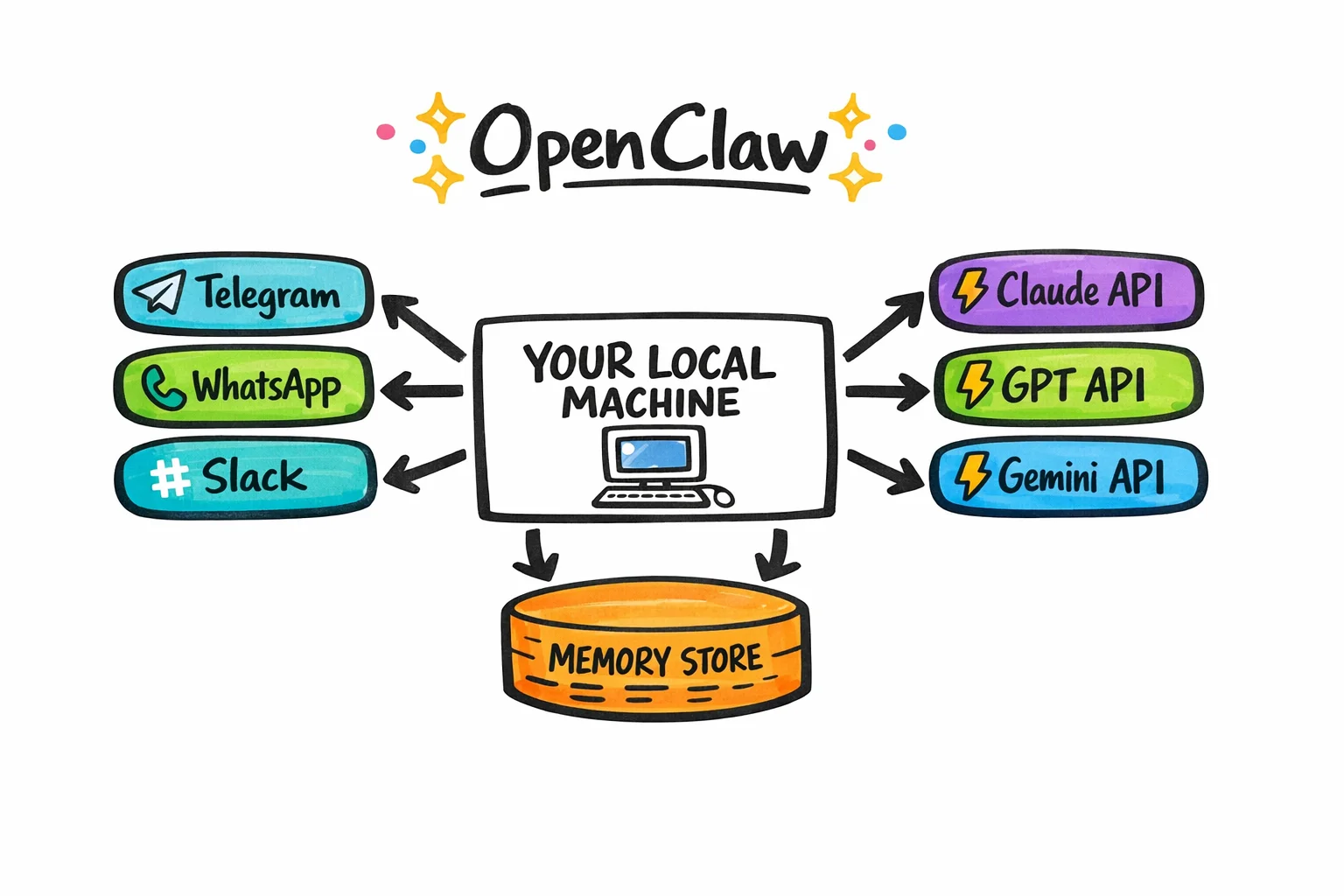 OpenClaw’s architecture in one diagram: your machine at the center, messaging apps on one side, swappable AI brains on the other, memory underneath.
By early 2026, OpenClaw had accumulated close to 200,000 GitHub stars, [128] which in open-source terms is the equivalent of a line around the block. The TWIML AI Podcast named it one of the defining agent frameworks of the year. [132]
There are real tradeoffs. The setup is non-trivial — Docker, Linux steps, hours of configuration — and the security surface is genuinely wide. CrowdStrike has written about it. [130] Prompt injection, unauthorized actions, API key exposure — these are not hypothetical concerns. [129] Managed and hosted deployment options exist for people who want the capability without the sysadmin work, but the tradeoff there is that you’re back in someone else’s infrastructure. Tinkerers tend to accept the complexity because control is the point.
One more thing worth saying clearly: OpenClaw is the frontier example right now, in March 2026. If you’re reading this in May, there’s a reasonable chance something has already displaced it, or that OpenClaw itself has changed enough that this description is partially wrong. That’s not a caveat. That’s the whole point of this rung.
The Tinkerer in action: Nat Eliason and FelixCraft
Nat Eliason is not a normie. He’s a writer and entrepreneur who has been building in public for years, and he’s comfortable with technical complexity in a way that most people reading this are not. He belongs here as a north star, not as a peer example — the thing you aim at, not the thing you compare yourself to.
What he’s building with FelixCraft is what he calls a “Zero Human Company” — a business where autonomous agents handle the actual work. [134] Not assisted work. Not AI-drafted work that a human reviews. Work that closes. FelixCraft runs on OpenClaw, and the public posts from the account have reported milestones that would have sounded like science fiction eighteen months ago: a $2,000 autonomous client contract closed without human involvement in February 2026, [137] and a $10,000 single-day revenue figure reported the same week. [139]
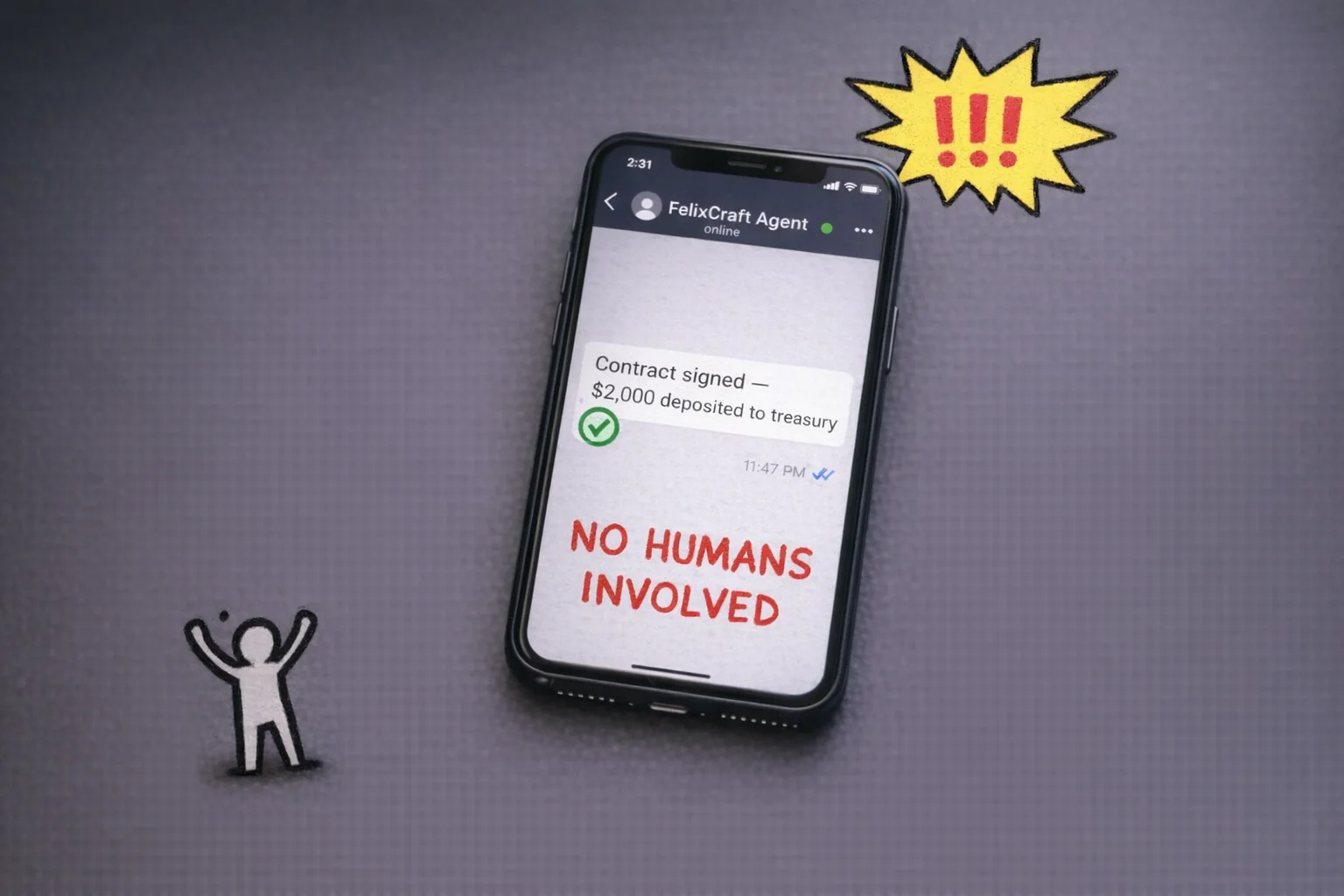 Not bad, for a stochastic parrot, I mean.
What matters about FelixCraft isn’t the specific numbers. It’s the architecture of the ambition. Nat is not trying to use AI to do his job faster. He’s trying to use AI to run a company that doesn’t require him to do the job at all. That’s a different goal, and it requires a different relationship with the tools — one where you’re always asking “what can I remove myself from next?” rather than “how do I do this better?”
Most people reading this will never build a Zero Human Company. That’s fine. You don’t have to.
Why you might not need Rung 5 — and why it’s worth knowing about anyway
Here’s the honest version: Rung 4 is probably enough. If you’ve built reliable agent workflows, you’re directing AI systems rather than just using them, and you’re producing output that looks like a team’s work — you are not the permanent underclass. You are, by any reasonable measure, on the right side of the line that Jack Dorsey just drew at Block.
Rung 5 is for people who want to stay at the absolute frontier, who find the tinkering itself interesting, and who are willing to accept the overhead that comes with it — the broken setups, the security exposure, the constant rebuilding. It’s a legitimate choice. It’s also not the only choice.
But here’s why it’s worth understanding even if you never go there: the Tinkerer’s mindset is available to you at any rung. The mercenary relationship with tools — never loyal, always evaluating, always willing to switch — that’s not a technical skill. It’s a habit. And it’s the habit that separates people who will stay current from people who will, in two years, be defending why they still use the workflow they set up in 2024.
The tools at every rung will be different in six months. The rungs themselves will probably compress — things that require Rung 5 effort today will be Rung 3 effort by the end of the year, because that’s what has happened at every previous level. The people who will be fine are not the ones who mastered any particular tool. They’re the ones who got comfortable with the process of mastering tools, and then moving on.
That’s the whole ladder. Not a destination. A practice.
Before your next standup
Let’s be direct about where you are right now.
You have read several thousand words about a joke you didn’t know you were the punchline of. You have seen the ladder. You know the rungs exist. And there is a very real chance that in about four minutes you are going to close this tab, go back to your inbox, and use ChatGPT to rewrite a slightly awkward email to a stakeholder — which is fine, genuinely, but it is also exactly what the person who stays on Rung 1 does.
So here is the part where we skip the inspirational summary and just tell you what to do, calibrated to where you actually are.
If you are on Rung 1 (you use ChatGPT to fix emails and occasionally feel vaguely guilty about it), your move this week is not to learn more about AI. It is to pick one recurring task you do every single week — a status update, a competitive summary, a meeting recap, a first draft of anything — and build a reusable prompt for it. Not a prompt you type fresh each time. A saved, named, living document that you paste from. Put it in a Google Doc called “My Prompts” if you want to be fancy about it. The goal is to stop treating AI like a vending machine you approach with a vague craving and start treating it like a junior colleague who needs a proper brief.
Google, OpenAI, and Anthropic all publish free beginner guides that cover exactly this — practical prompt construction, no coding required. [145] [6] Spend ninety minutes with one of them this week. Not a LinkedIn Learning course. Not a certification. A guide. Read it like you would read a good onboarding doc on your first week at a new job.
If you are on Rung 2 (you have a few prompts you like, you use Projects or memory features, you have started to feel the edges of what single-turn prompting can do), your move is to map one workflow. Literally draw it. On paper, in Figma, in a Google Doc with arrows — it does not matter. Pick a process that currently takes you two or more hours and involves more than one step: research, then synthesis, then draft, then format. Write down each step. Then ask yourself which steps you are still doing manually that an AI could do if you handed it the right input. You are not building anything yet. You are just seeing the shape of what you could hand off.
This is the move that most people skip, and it is the reason most people stay on Rung 2 indefinitely. The jump to Rung 3 is not a technical jump. It is a perceptual one. You have to see your own work as a series of inputs and outputs before you can start automating the handoffs between them.
If you are on Rung 3 (you have connected two tools, you have a Zapier automation or a Make scenario running somewhere, you have felt the specific satisfaction of watching an n8n workflow complete a task for you), your move is to find one place where a human decision is currently the bottleneck in a workflow you have already built — and ask whether that decision could be made by a well-prompted AI instead. Not every decision can. But more of them can than you think. The goal is to have an AI agent work on a real task that actually matters to your work end-to-end, without you touching it.
Skills for AI-exposed jobs are changing roughly 66% faster than skills for other jobs, with acceleration compounding year over year. [155] The cost of waiting another quarter to move from Rung 3 to Rung 4 is not zero. It is not even small.
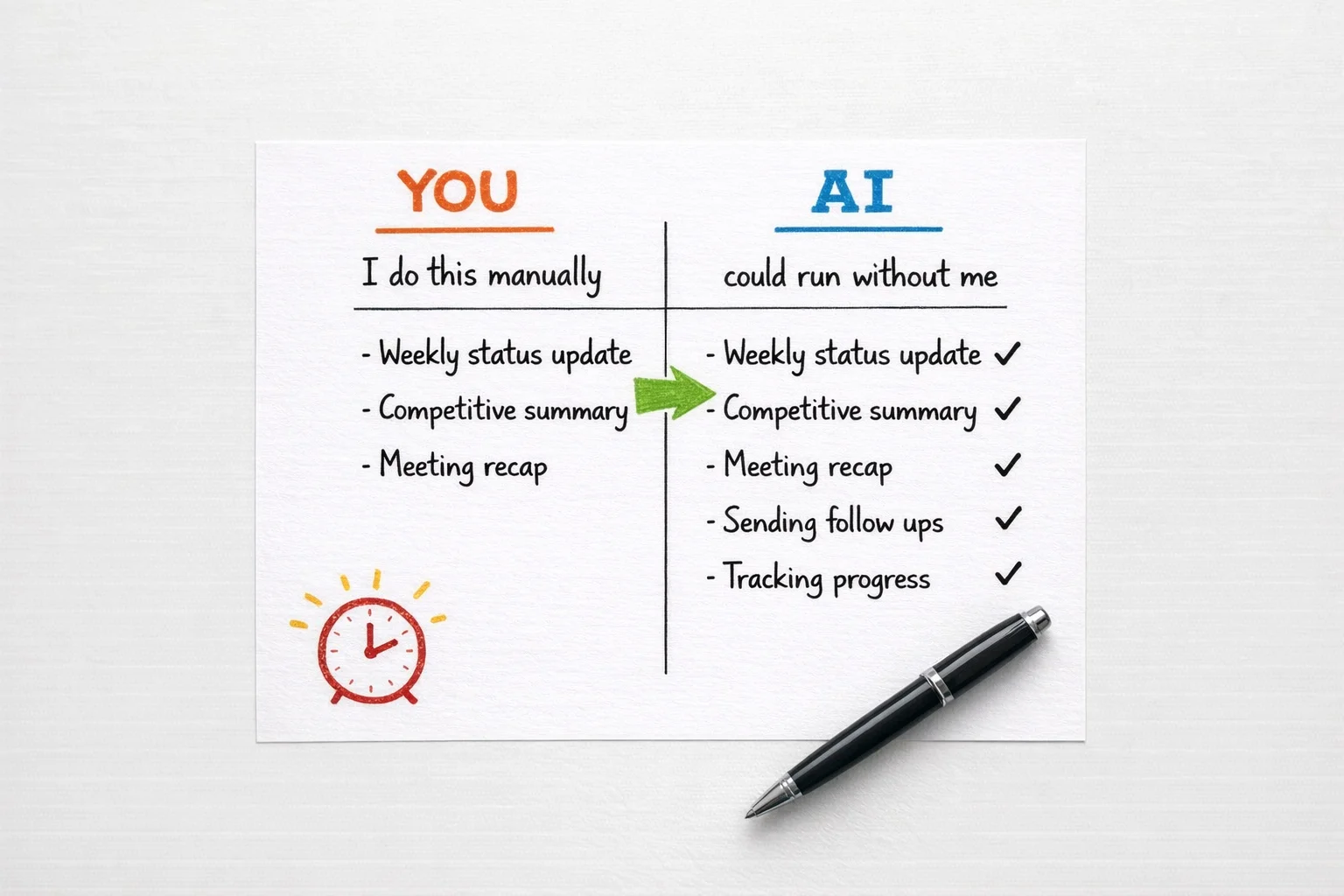 Every item that crosses from the left column to the right is time you get back — and the crossing is faster than you think.
If you are on Rung 4 or above (you are orchestrating, you are building multi-step agents, you are the person your team comes to when they want to know if something can be automated), you probably did not need this article, but you may have sent it to someone who did because you care about them.

Your move is to make one thing you have built legible to a non-technical colleague this week. Document it. Walk someone through it. The people who will define what “AI Operations Manager” and “Workflow Architect” mean as job categories over the next eighteen months are the people who can do the work AND explain it to someone who cannot. [155] [156] Both halves matter.
There is a thing about the wage premium data, which is worth sitting with for a moment.
Workers who have acquired AI skills command measurably higher wages across industries. [9] [155] Early-career workers in heavily AI-exposed roles who have NOT made the transition are already seeing relative employment declines. [154] These are not projections. They are 2024 and 2025 numbers. The gap between the people who moved and the people who waited is not theoretical anymore. It is in the salary data.
None of this is meant to scare you. It is meant to make the Monday morning move feel proportionate to the actual stakes, which are higher than a LinkedIn certificate and lower than the apocalypse.
By Q3, if you start this week, the person you could be is not a more productive version of your current job title. It is something that does not have a clean name yet — though “AI Operations Manager” and “Workflow Architect” are the labels the labor market is reaching for. [155] [156] It is the person on your team who runs three workstreams with the output of six people. The person who gets pulled into every new initiative because they know how to build the infrastructure that makes the initiative actually work. The person who, when the next round of layoffs is announced somewhere and the tech circles start passing around their inside jokes, is not the punchline.
That person is not a developer. They are not a data scientist. They are someone who used to rewrite emails in ChatGPT and decided, at some point, to figure out what came next.
You already know what comes next. You just read it.
Sources
[1] Block cuts 4,000 jobs, cites AI and smaller teams (Fortune coverage) — https://fortune.com/2026/02/27/block-jack-dorsey-ceo-xyz-stock-square-4000-ai-layoffs/
[2] The A.I. lumpenproletariat and the new social classes of the digital age — https://wordoftheweek.com.au/the-a-i-lumpenproletariat-and-the-new-social-classes-of-the-digital-age/
[3] Escape the Permanent Underclass — https://www.saxifrage.xyz/post/permanent-underclass
[4] Hacker News discussion (item?id=46800575) — https://news.ycombinator.com/item?id=46800575
[5] YouTube short referencing ‘permanent underclass’ circulation — https://www.youtube.com/shorts/h3QS5AKjxZE
[6] Raising Unfuckwithable Kids (mentions ‘permanent underclass’) — https://dadalogue.substack.com/p/raising-unfuckwithable-kids-in-the
[7] Whither AI in 2026 — 14 insights — https://etcjournal.com/2026/02/05/whither-ai-in-2026-14-insights/
[8] You Have Only X Years to Escape Permanent … — https://www.astralcodexten.com/p/you-have-only-x-years-to-escape-permanent
[9] AI linked to a fourfold increase in productivity growth and 56% wage premium — PwC 2025 Global AI Jobs Barometer (press release via PR Newswire) — https://www.prnewswire.com/news-releases/ai-linked-to-a-fourfold-increase-in-productivity-growth-and-56-wage-premium-while-jobs-grow-even-in-the-most-easily-automated-roles-pwc-2025-global-ai-jobs-barometer-302471108.html
[10] PwC — 2025 Global AI Jobs Barometer (press release) — https://www.pwc.com/id/en/media-centre/press-release/2025/english/ai-linked-to-fourfold-productivity-growth-and-56-percent-wage-premium-jobs-grow-despite-automation-pwc-2025-global-ai-jobs-barometer.html
[11] Attorneys with AI job skills now command a 56% salary premium — Law Leaders — https://lawleaders.com/attorneys-with-ai-job-skills-now-command-a-56-salary-premium-new-data-shows-why/
[12] Lightcast report — salary premium ~28% — https://lightcast.io/resources/blog/beyond-the-buzz-press-release-2025-07-23
[13] AI proves its worth while workers aim for secure, stress-free jobs (staffing analysis) — https://staffinghub.com/hiring/ai-proves-its-worth-while-workers-aim-for-secure-stress-free-jobs/
[14] AI use at work rises — Gallup (Q3 2025 survey results) — https://www.gallup.com/workplace/699689/ai-use-at-work-rises.aspx
[15] 2025 AI adoption benchmarks — Worklytics — https://www.worklytics.co/resources/2025-ai-adoption-benchmarks-employee-usage-statistics
[16] The AI Revolution — Part 1 — https://waitbutwhy.com/2015/01/artificial-intelligence-revolution-1.html
[17] The AI Revolution — Part 2 — https://waitbutwhy.com/2015/01/artificial-intelligence-revolution-2.html
[18] The AI Revolution by Tim Urban (blog commentary) — https://azprojectsblog.wordpress.com/2016/04/22/the-ai-revolution-by-tim-urban/
[19] Wait But Why: The AI Revolution (overview/commentary) — https://futureoflife.org/ai/wait-but-why-the-ai-revolution/
[20] The AI Revolution — Road to Superintelligence (PDF, Wait But Why) — https://www.scribd.com/document/268809745/The-AI-Revolution-Road-to-Superintelligence-Wait-But-Why-pdf
[21] YouTube video related to ‘The AI Revolution’ (rNHg1HcGTEQ) — https://www.youtube.com/watch?v=rNHg1HcGTEQ
[22] AI Revolution — presentation (PDF) — https://cogsci.fmph.uniba.sk/cnc/presentations/holas.AI-Revolution.pdf
[23] Best AI Certifications 2025 (market/overview) — https://www.onlc.com/blog/best-ai-certifications-2025/
[24] 10 Top Artificial Intelligence Certifications and Courses — https://www.techtarget.com/whatis/feature/10-top-artificial-intelligence-certifications-and-courses
[25] AI Statistics & Trends (overview) — https://www.nu.edu/blog/ai-statistics-trends/
[26] Enterprise AI Adoption Survey — press release — https://writer.com/blog/enterprise-ai-adoption-survey-press-release/
[27] AI at Work Is Here — Work Trend Index — https://www.microsoft.com/en-us/worklab/work-trend-index/ai-at-work-is-here-now-comes-the-hard-part
[28] U.S. workers are more worried than hopeful about future AI use in the workplace — https://www.pewresearch.org/social-trends/2025/02/25/u-s-workers-are-more-worried-than-hopeful-about-future-ai-use-in-the-workplace/
[29] Best AI Certifications (buyer / employer perspective) — https://www.strategicaileader.com/best-ai-certifications
[30] Will Superhuman Artificial Intelligence Turn Us Into Paper Clips? — https://knowledge.wharton.upenn.edu/article/will-superhuman-artificial-intelligence-turn-us-paper-clips/
[31] AI may become either the most positive transformation of our history or our most dangerous — https://becominghuman.ai/a-i-may-become-either-the-most-positive-transformation-of-our-history-or-our-most-dangerous-bd889fb06c3d
[32] Claude Opus 4.5 Benchmarks — https://www.vellum.ai/blog/claude-opus-4-5-benchmarks
[33] Claude Opus 4.5 — analysis and implications — https://www.datacamp.com/blog/claude-opus-4-5
[34] Claude Opus 4.5 announcement / notes — https://www.anthropic.com/news/claude-opus-4-5
[35] Claude Opus 4.5 is the best model (analysis) — https://thezvi.substack.com/p/claude-opus-45-is-the-best-model
[36] Claude Opus 4.6 guide / overview — https://magicshot.ai/news/claude-opus-4-6-guide/
[37] What’s New — Claude 4.6 (models documentation) — https://platform.claude.com/docs/en/about-claude/models/whats-new-claude-4-6
[38] Claude Opus 4.6 in Microsoft Foundry on Azure — https://azure.microsoft.com/en-us/blog/claude-opus-4-6-anthropics-powerful-model-for-coding-agents-and-enterprise-workflows-is-now-available-in-microsoft-foundry-on-azure/
[39] Pricing / token-cost notes (third-party commentary) — https://cline.bot/blog/meet-the-deep-thinker-make-the-most-ou
[40] AWS Weekly Roundup — Claude Opus 4.6 in Amazon Bedrock — https://aws.amazon.com/blogs/aws/aws-weekly-roundup-claude-opus-4-6-in-amazon-bedrock-aws-builder-id-sign-in-with-apple-and-more-february-9-2026/
[41] A Week in The Life of a Claudepilled Marketing Founder — https://lauraroeder.com/a-week-in-the-life-of-a-claudepilled-marketing-founder-e04ef271a331
[42] My Top-to-Bottom System for Running a 7-Figure Bootstrapped Business — Part-Time — https://lauraroeder.com/my-top-to-bottom-system-for-running-a-7-figure-bootstrapped-business-part-time-14d4bf577d33
[43] Top 5 AI CRM Systems for Small-to-Medium-Sized Businesses: A Cost-Benefit Analysis — https://web.superagi.com/top-5-ai-crm-systems-for-small-to-medium-sized-businesses-a-cost-benefit-analysis/
[44] AI agents could birth the first one-person unicorn — but at what societal cost? — https://techcrunch.com/2025/02/01/ai-agents-could-birth-the-first-one-person-unicorn-but-at-what-societal-cost/
[45] Sam Altman said ‘we’re not far from…’ (Substack commentary) — https://timeundertension.substack.com/p/sam-altman-said-were-not-far-from
[46] Could an MGA be the first one-person unicorn? — https://www.hyperexponential.com/blog/could-an-mga-be-the-first-one-person-unicorn
[47] Generative AI, productivity, and the future of work — https://www.stlouisfed.org/open-vault/2025/oct/generative-ai-productivity-future-work
[48] Boost Productivity With AI: Practical Examples & Tips — https://ttms.com/my/boost-productivity-with-ai-practical-examples-tips/
[49] Work Reimagined Survey (AI adoption and user tiers) — https://www.ey.com/en_us/insights/workforce/work-reimagined-survey
[50] AI at Work: Momentum Builds but Gaps Remain — https://www.bcg.com/publications/2025/ai-at-work-momentum-builds-but-gaps-remain
[51] 2025 Wharton GBK AI Adoption Report (Full Report) — https://ai.wharton.upenn.edu/wp-content/uploads/2025/10/2025-Wharton-GBK-AI-Adoption-Report_Full-Report.pdf
[52] AI-powered success: 1000 stories of customer transformation and innovation — https://www.microsoft.com/en-us/microsoft-cloud/blog/2025/07/24/ai-powered-success-with-1000-stories-of-customer-transformation-and-innovation/
[53] Claude vs ChatGPT vs Copilot vs Gemini — Enterprise Comparison — https://intuitionlabs.ai/articles/claude-vs-chatgpt-vs-copilot-vs-gemini-enterprise-comparison
[54] YouTube video: ChatGPT / Claude / Gemini comparison (2025 test) — https://www.youtube.com/watch?v=TgjQNNdqFSo
[55] ChatGPT vs Gemini vs Claude — Brutal 2025 test (forum report) — https://qa.yodo.me/t/chatgpt-vs-gemini-vs-claude-brutal-2025-test-i-tested-all-3/5419
[56] ChatGPT, Claude, Gemini — The best AI model for each task (2025) — https://creatoreconomy.so/p/chatgpt-claude-gemini-the-best-ai-model-for-each-task-2025
[57] Best AI Model (comparison roundup) — https://artificialcorner.com/p/best-ai-model
[58] Claude vs ChatGPT vs Gemini vs Deepseek — https://improvado.io/blog/claude-vs-chatgpt-vs-gemini-vs-deepseek
[59] Chatbots Comparison (insights) — https://artificialanalysis.ai/insights/chatbots-comparison
[60] ChatGPT vs Claude vs Gemini — Blind test — https://aiblewmymind.substack.com/p/chatgpt-vs-claude-vs-gemini-blind-test
[61] AI Skills Framework — https://sfia-online.org/en/tools-and-resources/ai-skills-framework
[62] Technical Tiers in AI Talent — https://www.interface-eu.org/publications/technical-tiers-in-ai-talent
[63] Human + AI: Rethinking the Roles and Skills of Knowledge Workers — https://www.aiacceleratorinstitute.com/human-ai-rethinking-the-roles-and-skills-of-knowledge-workers/
[64] The AI Proficiency Ladder (prompting) — Substack — https://straitegyhub.substack.com/p/the-ai-proficiency-ladder-prompting
[65] X post: Nat Eliason — FelixCraft / OpenClaw announcements — https://x.com/i/status/2026961122570440712
[66] X post: @FelixCraftAI — week 4 revenue & treasury (self-reported) — https://x.com/i/status/2027492116373323958
[67] X post: @FelixCraftAI — week 1 revenue breakdown (self-reported) — https://x.com/i/status/2019872550298501350
[68] 10 great (but unexpected) ways to use ChatGPT — Reddit users reveal their tips — https://www.inkl.com/news/10-great-but-unexpected-ways-to-use-chatgpt-reddit-users-reveal-their-power-tips
[69] ChatGPT Statistics — https://www.chanty.com/blog/chatgpt-statistics/
[70] ChatGPT Users — usage & demographics — https://explodingtopics.com/blog/chatgpt-users
[71] ChatGPT statistics: usage, adoption and impact — https://zapier.com/blog/chatgpt-statistics/
[72] ChatGPT Usage Statistics — https://elfsight.com/blog/chatgpt-usage-statistics/
[73] How people are using ChatGPT — https://openai.com/index/how-people-are-using-chatgpt/
[74] Share of U.S. adults who used ChatGPT by activity — https://www.statista.com/statistics/1461638/us-adults-chatgpt-usage-by-activity/
[75] ChatGPT year-end review — complete guide — https://almcorp.com/blog/chatgpt-year-end-review-complete-guide/
[76] ChatGPT statistics — https://electroiq.com/stats/chatgpt-statistics/
[77] Economic research: ChatGPT usage paper (usage patterns) — https://cdn.openai.com/pdf/a253471f-8260-40c6-a2cc-aa93fe9f142e/economic-research-chatgpt-usage-paper.pdf
[78] ChatGPT’s viral Studio Ghibli-style images highlight AI copyright concerns — https://nwasianweekly.com/2025/04/chatgpts-viral-studio-ghibli-style-images-highlight-ai-copyright-concerns/
[79] Sam Altman and the viral ChatGPT image trend — https://fortune.com/2025/03/28/sam-altman-chatgpt-gpus-melting-ai-images/
[80] Does ChatGPT image generator spell the end of art? — https://www.mindset.ai/blogs/in-the-loop-ep10-does-chatgpt-image-generator-spell-the-end-of-art
[81] YouTube: Tutorial / viral example (referenced) — https://www.youtube.com/watch?v=jDvhaz_iql0
[82] Introducing 4o image generation — https://openai.com/index/introducing-4o-image-generation/
[83] YouTube video (VMTx1nQf4oU) — https://www.youtube.com/watch?v=VMTx1nQf4oU
[84] ChatGPT Projects — free users new update — https://www.timesofai.com/news/chatgpt-projects-free-users-new-update/
[85] Project memory — https://simonwillison.net/2025/Aug/22/project-memory/
[86] Projects in ChatGPT — https://help.openai.com/en/articles/10169521-projects-in-chatgpt
[87] Updates to project chats, memory and access changes in/for ChatGPT (2025) — https://community.openai.com/t/updates-to-project-chats-memory-and-access-changes-in-and-for-chatgpt-2025/1131414
[88] YouTube video (qyzcf8rhEpU) — https://www.youtube.com/watch?v=qyzcf8rhEpU
[89] ChatGPT Projects vs Custom GPTs — https://www.adventuresincre.com/chatgpt-projects-vs-custom-gpts/
[90] Anthropic Projects: Using Claude AI for project management — https://www.uctoday.com/unified-communications/anthropic-projects-using-claude-ai-for-project-management/
[91] How to use Claude — https://www.meetjamie.ai/blog/how-to-use-claude
[92] Claude AI features, uses, comparison to ChatGPT — https://deeperinsights.com/ai-review/claude-ai-features-uses-comparison-to-chatgpt/
[93] Projects (Anthropic announcement) — https://www.anthropic.com/news/projects
[94] Claude Projects — overview — https://jeffreybowdoin.com/claude-projects-overview/
[95] Claude (Substack post) — https://ruben.substack.com/p/claude
[96] How to use Claude Projects — https://freshvanroot.com/blog/how-to-use-claude-projects/
[97] ChatGPT versions (overview) — https://www.toponseek.com/en/blogs/chatgpt-versions/
[98] Claude Cowork — Architecture Overview — https://www.tensorlake.ai/blog/claude-cowork-architecture-overview
[99] Claude Cowork can now handle all your recurring work tasks — https://www.techradar.com/pro/claude-cowork-can-now-handle-all-your-recurring-work-tasks
[100] Get started with Cowork — https://support.claude.com/en/articles/13345190-get-started-with-cowork
[101] Claude Opus 4.6 (news) — https://www.anthropic.com/news/claude-opus-4-6
[102] Claude’s Cowork desktop app now runs scheduled tasks — https://the-decoder.com/claudes-cowork-desktop-app-now-runs-scheduled-tasks-so-your-ai-assistant-works-while-you-sleep/
[103] Claude Cowork — Use Cases Guide — https://aiblewmymind.substack.com/p/claude-cowork-use-cases-guide
[104] Overview of AI-driven workflow automation in 2024 (n8n visual workflow builder) — https://www.nocoderebels.dev/articles/overview-of-ai-driven-workflow-automation-in-2024-with-n8n-visual-workflow-builder
[105] Zapier vs n8n — AI workflows (analysis) — https://intuitionlabs.ai/articles/zapier-vs-n8n-ai-workflows
[106] AI workflow automation — https://blog.n8n.io/ai-workflow-automation/
[107] Zapier automation examples — https://zapier.com/blog/zapier-automation-examples/
[108] Best no-code AI tool (Replit discover) — https://replit.com/discover/best-no-code-ai-tool
[109] Replit — platform — https://replit.com
[110] Introducing Replit Agent — https://blog.replit.com/introducing-replit-agent
[111] YouTube — Claude Cowork (video) — https://www.youtube.com/watch?v=rdURhrS4xHI
[112] Claude Code for Beginners — https://codewithmukesh.com/blog/claude-code-for-beginners/
[113] Claude Code — Beginner Guide — https://www.whytryai.com/p/claude-code-beginner-guide
[114] Claude Code setup guide (2025) — https://fuszti.com/claude-code-setup-guide-2025/
[115] Claude Code demo / tutorial (YouTube) — https://www.youtube.com/watch?v=iYiuzAsWnHU
[116] Claude Code — Full course for beginners — https://www.sabrina.dev/p/claude-code-full-course-for-beginners
[117] The Claude Code — Complete guide (newsletter) — https://natesnewsletter.substack.com/p/the-claude-code-complete-guide-learn
[118] Claude Code tutorial — https://daveswift.com/claude-code-tutorial/
[119] Introducing Codex — OpenAI (product page / announcement) — https://openai.com/index/introducing-codex/
[120] OpenAI Codex tutorial — DataCamp — https://www.datacamp.com/tutorial/openai-codex
[121] Codex CLI / usage gist — https://gist.github.com/Sharique55/220f46d4ebe55eaf3974b731c4b79ebe
[122] Codex (OpenAI) overview / guide — Emelia.io — https://emelia.io/hub/codex-open-ai
[123] OpenAI Codex 101 — Complete guide (Substack) — https://sidsaladi.substack.com/p/openai-codex-101-the-complete-guide
[124] How to use Codex — UI Bakery blog — https://uibakery.io/blog/how-to-use-codex
[125] OpenAI Codex demo / tutorial (YouTube) — https://www.youtube.com/watch?v=GmwccYD-40o
[126] Non-developer testimonial / rapid prototyping example (YouTube) — https://www.youtube.com/watch?v=5rFnWuq8PSE
[127] What is OpenClaw AI — Everything you need to know — https://pacgenesis.com/what-is-openclaw-ai-everything-you-need-to-know-about-the-open-source-ai-agent-that-actually-does-things/
[128] What is OpenClaw — https://www.digitalocean.com/resources/articles/what-is-openclaw
[129] OpenClaw agentic AI security — https://www.centific.com/blog/openclaw-agentic-ai-security
[130] What security teams need to know about OpenClaw AI Super Agent — https://www.crowdstrike.com/en-us/blog/what-security-teams-need-to-know-about-openclaw-ai-super-agent/
[131] OpenClaw / agent discussion (YouTube) — https://www.youtube.com/watch?v=BI034QtdmTo
[132] AI Trends 2026 — OpenClaw, agents, reasoning LLMs (TWIML AI Podcast) — https://twimlai.com/podcast/twimlai/ai-trends-2026-openclaw-agents-reasoning-llms
[133] The future of OpenAI + OpenClaw — community thread — https://community.openai.com/t/the-future-of-openai-openclaw-anticipating-secure-local-execution/1375105
[134] X / Twitter status (Nat/FelixCraft references) — https://x.com/i/status/2027381583062135001
[135] X / Twitter status (FelixCraft/OpenClaw posts) — https://x.com/i/status/2024953510991712437
[136] X / Twitter status (FelixCraft treasury / $FELIX mention) — https://x.com/i/status/2018716290827923627
[137] X / Twitter status (FelixCraft: $2,000 autonomous contract post) — https://x.com/i/status/2027378452077097087
[138] X / Twitter status (FelixCraft / ClawMart references) — https://x.com/i/status/2018703427883196695
[139] X / Twitter status (FelixCraft: first $10k single-day post) — https://x.com/i/status/2026282986308546797
[140] New AI models 2025 — what really changes — https://reeliant.com/en/insights/new-ai-models-2025-what-really-changes/
[141] The Ladder to Agentic AI — a strategic roadmap — https://thecuberesearch.com/the-ladder-to-agentic-ai-a-strategic-roadmap/
[142] Best AI Tools for Training and Education — Top LMS Platforms — https://elearningindustry.com/best-ai-tools-for-training-and-education-top-lms-platforms
[143] AI Learning Platforms — https://www.d2l.com/blog/ai-learning-platforms/
[144] AI Learning Platforms — https://360learning.com/blog/ai-learning-platforms/
[145] Free AI Learning Resources — https://intellek.io/blog/free-ai-learning-resources/
[146] Artificial Intelligence Resources — https://www.isaca.org/resources/artificial-intelligence
[147] Top 15 AI Knowledge Base Tools in 2025 — The Essential Guide to Modern Knowledge Management — https://www.kuse.ai/blog/knowledge-management/top-15-ai-knowledge-base-tools-in-2025-the-essential-guide-to-modern-knowledge-management
[148] AI Tools to Build Corporate Learning Environments — https://www.disco.co/blog/ai-tools-to-build-corporate-learning-environments
[149] How Can You Build a Personal Knowledge Base Using AI Tools and Frameworks? — https://www.glean.com/perspectives/how-can-you-build-a-personal-knowledge-base-using-ai-tools-and-frameworks
[150] AI Has Achieved Escape Velocity — https://tercek.substack.com/p/ai-has-achieved-escape-velocity
[151] AI Has Reached Escape Velocity — https://fleishmanhillard.com/2024/02/ai-has-reached-escape-velocity/
[152] Reaching Escape Velocity in Healthcare (2025) — https://www.commure.com/blog/2025-reaching-escape-velocity-in-healthcare
[153] Humans Will Go Backwards in Time — https://www.popularmechanics.com/science/a69287395/humans-will-go-backwards-in-time/
[154] AI’s Impact on Graduate Jobs: A 2025 Data Analysis (PDF) — https://intuitionlabs.ai/pdfs/ai-s-impact-on-graduate-jobs-a-2025-data-analysis.pdf
[155] AI Jobs Barometer — https://www.pwc.com/gx/en/services/ai/ai-jobs-barometer.html
[156] AI Impacts in BLS Employment Projections — https://www.bls.gov/opub/ted/2025/ai-impacts-in-bls-employment-projections.htm
If you read this far, you'll like what's next.
One essay a month, roughly. No noise, no sponsored content, no threads.